How to Automate Business Workflows Without Breaking Existing Systems in 2026
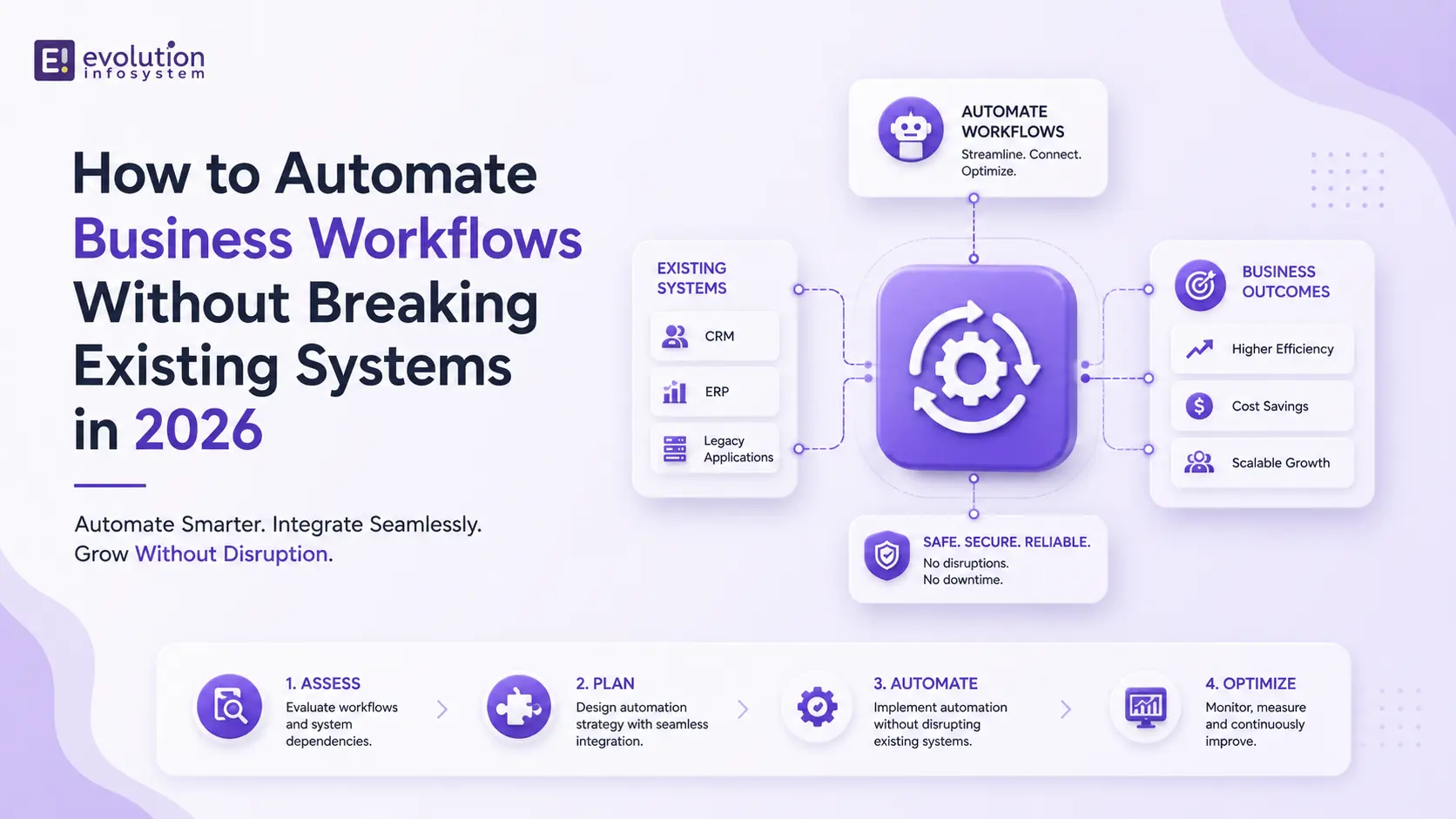
Every business has workflows that should be automated. Most also have a graveyard of automation attempts that created more problems than they solved – broken integrations, data inconsistencies, processes that worked fine manually but collapsed under the weight of a poorly designed automation layer.
The problem is almost never the automation technology itself. It’s the approach. Automation fails when it’s bolted onto systems that weren’t designed to accommodate it, when it’s scoped too broadly too quickly, or when the process being automated was broken to begin with.
In 2026, the tools for workflow automation are more powerful and more accessible than ever. The discipline to deploy them correctly is what separates businesses that compound efficiency over time from those that accumulate automation debt.
Here’s how to do it right.
Start With the Process, Not the Tool
The single most common automation mistake: choosing a tool and then looking for processes to automate with it. This is backwards. The tool should follow the process – not define it.
Before any automation discussion, map the workflow as it actually exists today. Not as it’s supposed to work according to the documented procedure, but as it actually works – including the workarounds, the exceptions, the manual steps that exist because a system integration was never built, and the human judgment calls that happen informally.
This matters because automating a broken process produces a faster, more consistent version of the wrong outcome. If your lead qualification process is inefficient because of unclear criteria, automating it delivers bad leads faster. The process needs to be fixed before – or alongside – the automation.
A practical mapping exercise: for each workflow you’re considering, document every step, who performs it, what triggers it, what data it consumes, what it produces, and where exceptions get handled. This takes a day for a simple workflow and a week for a complex one. It saves months of rework.
Classify Your Workflows Before Automating Them
Not all workflows are equally good candidates for automation. Running every workflow through the same automation framework leads to over-engineering simple processes and under-engineering complex ones.
Three classifications that cover most business workflows:
- Structured, high-volume, stable workflows are the best automation candidates. Invoice processing, data entry, report generation, order confirmations, employee onboarding document distribution – these processes have consistent inputs, defined logic, and low exception rates. Rule-based automation (RPA, workflow tools like Make or n8n) handles these cleanly, reliably, and with minimal maintenance.
- Semi-structured workflows with regular exceptions need a hybrid approach. A customer support triage process, for example, has a structured core (route tickets by category, check account status, apply SLA rules) but generates frequent exceptions (unusual requests, emotional customers, edge-case issues). Automate the structured core with rules. Apply AI agents to handle the exceptions. Build clear escalation paths to humans for anything the system can’t resolve with confidence.
- Judgment-intensive, unstructured workflows should not be fully automated – at least not yet. Contract review, strategic decision-making, complex client communication. AI can assist here (summarizing, flagging, drafting), but full automation without human oversight creates unacceptable risk.
The discipline is resisting the pressure to automate everything immediately. Start with the structured, high-volume workflows where the ROI is clearest and the risk of disruption is lowest.
Audit Your Existing Systems Before Connecting Anything
Breaking existing systems is almost always caused by the same thing: insufficient understanding of how those systems actually work before automation touches them.
Before building any integration between your automation layer and an existing system, answer these questions:
→ Does the system have a documented API?
If it does, that’s your integration path. If it doesn’t, you’re looking at RPA (screen scraping and UI automation) or a file-based integration – both of which are more brittle and require more maintenance.
→ What is the system’s data model?
How are records structured, identified, and related? Automation that writes data back to a system without understanding the data model will create duplicates, orphaned records, and integrity violations that are painful to unwind.
→ What are the system’s rate limits and concurrency constraints?
An automation that fires 500 API calls per minute against a system designed for 50 will crash it. Throttling and queue management need to be built into your automation architecture.
→ Who else touches this system?
Automation that assumes exclusive access to a system and doesn’t account for concurrent human activity will produce race conditions and data conflicts. Design for coexistence.
Build Incrementally, Not All at Once
The temptation when designing a workflow automation is to automate the entire end-to-end process in one build. Resist this. Incremental automation – automating one stage of a workflow at a time, validating it, then extending – is consistently more successful than big-bang implementations.
The incremental approach has three practical advantages.
First, it limits blast radius. When something goes wrong (and it will, at least once), the impact is contained to one stage of the workflow rather than the entire process.
Second, it generates real-world validation data. Automating the first stage of a workflow reveals assumptions about data quality, exception rates, and system behavior that affect every subsequent stage. Building incrementally means these discoveries happen when they’re cheapest to address.
Third, it builds organizational trust in the automation. Stakeholders who see one stage working correctly are significantly more willing to extend automation to the next stage than stakeholders asked to trust a full end-to-end system they’ve never seen in operation.
A practical structure: identify the highest-friction, most time-consuming single step in the workflow. Automate that first. Measure the impact. Then extend to the step immediately adjacent. Repeat.
Design Robust Error Handling From Day One
Automation without error handling is not automation – it’s a time bomb. Production workflows encounter unexpected data, system outages, API failures, and edge cases that weren’t in the original specification. How your automation handles these moments determines whether it’s a reliable business system or a fragile script that requires constant monitoring.
Every automation workflow needs:
→ Failure notifications.
When a workflow fails, the right person needs to know immediately – not discover it days later when downstream consequences have accumulated. Build alerting into every automated workflow from the first deployment.
→ Clear fallback paths.
When automation can’t complete a task, what happens next? The answer should never be “nothing.” Either the task retries (with a defined retry limit and backoff interval), escalates to a human, or moves to a dead-letter queue for manual review.
→ Idempotency.
An idempotent operation produces the same result whether it runs once or ten times. Building idempotency into your automation means that retries after failures don’t create duplicate records, duplicate emails, or duplicate transactions. This is a design principle, not an afterthought.
→ Audit logging.
Every automated action should be logged – what triggered it, what data it processed, what it produced, and whether it succeeded or failed. Audit logs are the foundation of debugging, compliance, and continuous improvement.
The Change Management Reality
Technical execution aside, workflow automation fails most often because of people, not systems. Employees whose work is being automated need to understand what’s changing, why, and what it means for their role. Automation introduced without communication generates resistance that can undermine adoption and create workarounds that defeat the purpose.
The practical approach: involve the people who perform the workflow in the design process. They know where the edge cases are. They know what the documented procedure misses. They will identify failure modes that no technical team would anticipate. And they’re far more likely to trust and adopt automation they helped design than automation imposed on them.
Automation should be framed – honestly – as removing the repetitive, low-value work from their day so they can focus on the work that actually requires their judgment and expertise. For most people in operational roles, that framing is accurate and genuinely welcome.
At Evolution Infosystem, we design and build workflow automation systems across sales, operations, support, finance, and HR – using RPA, AI agents, and custom integration development. We start with the process, not the tool, and we build for reliability from day one. If your business has workflows that are ready to be automated the right way, let’s talk.
Frequently Asked Questions (FAQs)
What is the best way to automate business workflows in 2026?
Start by mapping the workflow as it actually exists, classify it by structure and exception rate, audit the systems it touches, and build incrementally – one stage at a time. The most reliable automation stacks use rule-based tools (RPA, workflow automation) for structured processes and AI agents for exception handling.
What is the difference between RPA and AI workflow automation?
RPA follows fixed, explicit rules to automate structured, repetitive tasks. AI workflow automation uses machine learning or LLMs to handle variable inputs, unstructured data, and judgment-intensive exceptions. Most production automation systems use both – RPA for the predictable core, AI for the edge cases.
How do you automate workflows without disrupting existing systems?
Audit the target system’s API, data model, rate limits, and concurrent usage before building any integration. Build incrementally rather than automating entire end-to-end processes in one deployment. Include robust error handling, fallback paths, and audit logging from day one.
Which business workflows are easiest to automate?
High-volume, structured, stable workflows with consistent inputs and low exception rates are the best starting points. Invoice processing, data entry and synchronization, report generation, order confirmation communications, and employee onboarding documentation are commonly automated with high success rates and minimal disruption risk.
Let’s Build: Evolution Infosystem builds workflow automation systems for businesses globally – combining RPA, AI agents, and custom software integration to eliminate operational bottlenecks. Contact us to scope your automation project.