Azure Migration Checklist: What to Do Before You Move
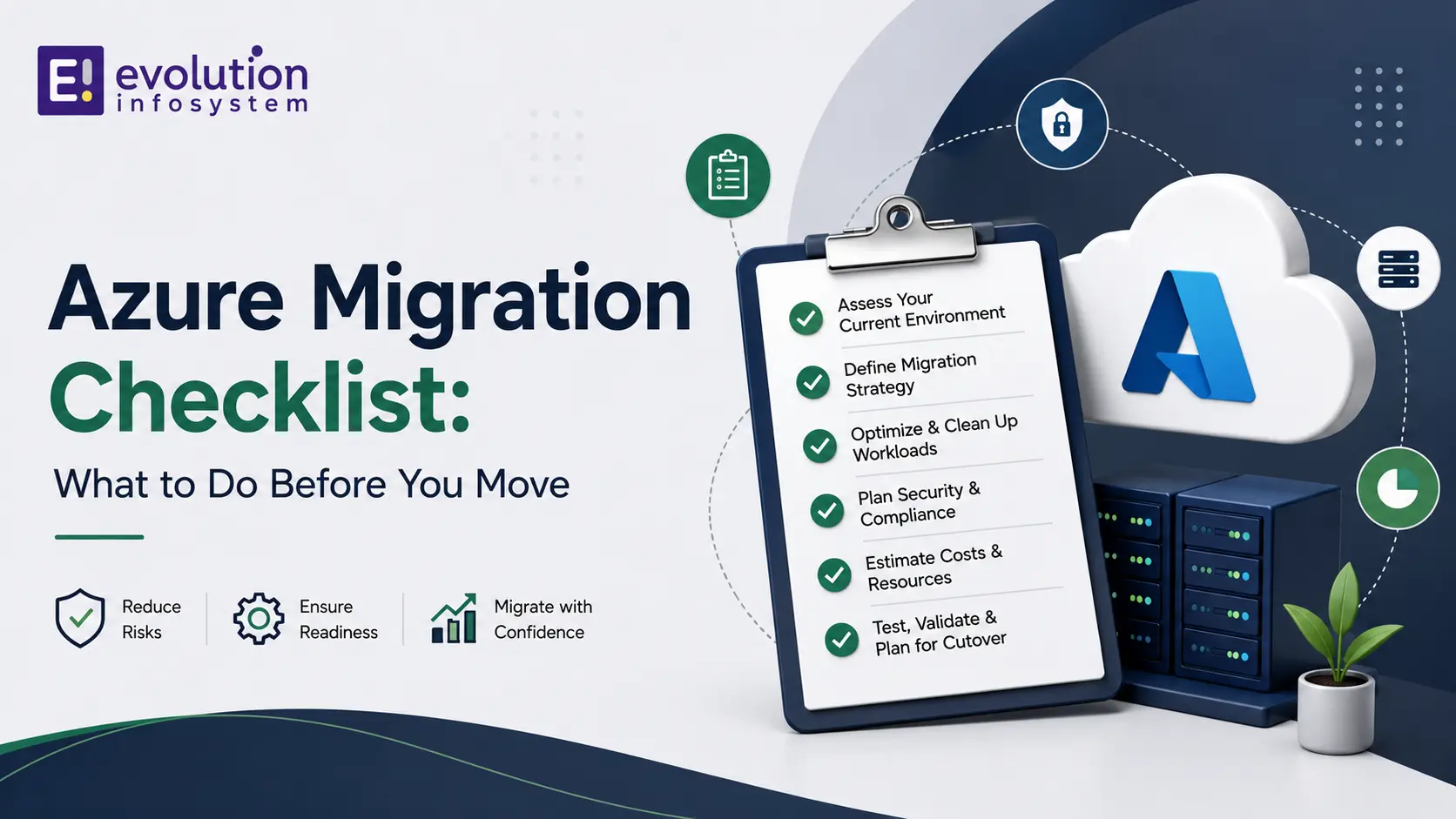
Fewer than five percent of cloud migrations finish on time and on budget without a structured readiness process behind them. That single statistic explains why a genuine Azure migration checklist matters so much more than most businesses assume before they start: the difference between a smooth cutover and a costly, disruptive failure is almost always decided in the weeks before a single workload actually moves, not during the move itself.
This guide is built specifically around the “before you move” phase, the pre-migration work most existing content rushes through on the way to the more exciting execution and cutover steps. Every item in this Azure migration checklist is something you need to complete, verify, or genuinely understand before your first workload touches Azure, not after.
By the time you finish this guide, you will have a complete, sequenced picture of exactly what genuine pre-migration readiness looks like, not just a general sense that “assessment matters” without the specific detail needed to actually execute it well.
Key Terms Worth Knowing
A Short Glossary for This Guide
Azure Migrate is Microsoft’s unified discovery and assessment hub, performing agentless scanning of VMware, Hyper-V, and physical servers along with dependency mapping. Landing Zone is the pre-configured Azure environment, networking, identity, logging, and security, that must exist before production workloads migrate. The Six R’s describes the standard workload strategy framework: rehost, replatform, refactor, rearchitect, replace, and retire.
SMART (Strategic Migration Assessment and Readiness Tool) evaluates cloud adoption strategy against the five pillars of the Azure Well-Architected Framework. Azure Hybrid Benefit lets businesses apply existing on-premises Windows Server and SQL Server licenses toward Azure costs, reducing migration cost. Runbook is the detailed, step-by-step documented plan covering exactly what happens during cutover, including rollback procedures if something goes wrong. Cutover is the actual event where a workload’s production traffic switches from the old environment to Azure.
Readiness Classification at a Glance
| Classification | What It Means | Typical Next Step |
|---|---|---|
| Ready | No blockers identified | Schedule migration wave |
| Conditionally Ready | Minor remediation needed | Address specific gaps, then reassess |
| Not Ready | Significant blockers present | Deeper remediation or reconsider strategy |
This classification framework, produced by Azure Migrate during discovery, is the backbone of any genuine Azure migration checklist, since it tells you honestly which workloads can move now and which need more work first.
Why the Pre-Migration Phase Determines Everything Else
The Real Cost of Skipping Assessment
Teams that move fast and assess slow are the ones who end up living the failure statistics. An incomplete Azure migration checklist at the pre-migration stage does not just risk delay; it risks migrating workloads with hidden dependencies nobody mapped, security gaps nobody closed before go-live, and cost surprises nobody modeled in advance.
What This Guide Covers That Others Skip
Most Azure migration checklist content treats pre-migration as a single step, “assess your environment,” then moves quickly to execution. This guide breaks pre-migration into its full, genuine complexity: business case definition, technical discovery, workload classification, landing zone architecture, licensing and cost modeling, security readiness, and rehearsal planning, each covered with the specific detail needed to actually complete it rather than simply check a box.
Step 1: Define Your Business Case and Goals
Why This Comes Before Any Technical Work
Any genuine Azure migration checklist has to start here, not with a technical assessment. Before touching a single server, get explicit clarity on your primary driver: cost reduction, improved agility, compliance requirements, disaster recovery improvement, or supporting a merger or acquisition. This driver shapes every subsequent decision, from which workloads move first to which Azure services you actually need.
Write this business case down formally rather than keeping it as an informal understanding among a few stakeholders. A documented business case becomes the reference point you return to throughout the entire migration whenever a scope or priority question arises, and it is the first item any thorough Azure migration checklist should require in writing before technical work begins.
Securing Executive Sponsorship
Migrations without genuine executive sponsorship stall the moment they hit their first obstacle, since nobody with real authority is invested in pushing through the inevitable friction. Any thorough Azure migration checklist should include securing explicit sponsorship and stakeholder alignment as a formal, documented step, not an assumed formality.
Step 2: Run a Genuine Technical Discovery and Assessment
Using Azure Migrate for Discovery
Microsoft’s primary tool for this phase is Azure Migrate, a unified hub performing agentless discovery of VMware, Hyper-V, and physical servers, along with application dependency mapping. Any modern Azure migration checklist should treat this discovery phase as mandatory, not optional, since it produces the concrete data every later decision in this guide depends on.
Run this discovery across your entire environment, not just the systems you already suspect will migrate, since dependency mapping frequently surfaces connections between systems that were not obvious from documentation or institutional memory alone. Skipping full-environment discovery in favor of a narrower, faster scan is a common shortcut that undermines the accuracy of every subsequent step in your Azure migration checklist.
The Four Outputs a Genuine Assessment Produces
A proper pre-migration assessment is not a one-size-fits-all checklist item; it is a diagnostic process producing four concrete outputs: Azure readiness classification for each workload, right-sizing recommendations, monthly cost projections, and a sequenced migration roadmap. An Azure migration checklist missing any of these four outputs has not actually completed genuine discovery, regardless of how much activity happened during the assessment phase.
Classifying Workloads: Ready, Conditionally Ready, Not Ready
Azure Migrate classifies every discovered workload into one of several readiness categories, letting you distinguish workloads that can move immediately from those needing remediation first. This classification should never be treated as a one-time snapshot; infrastructure changes continuously, and a workload conditionally ready six months ago may have shifted status entirely by the time you actually schedule its migration wave.
Using the SMART Framework Alongside Azure Migrate
The Strategic Migration Assessment and Readiness Tool evaluates your organization’s cloud adoption strategy across the five pillars of the Azure Well-Architected Framework: reliability, security, cost optimization, operational excellence, and performance efficiency. Incorporating this broader strategic evaluation alongside Azure Migrate’s technical discovery rounds out a genuinely complete Azure migration checklist rather than one focused purely on technical inventory.
Step 3: Assign a Migration Strategy to Every Workload
The Six R’s Framework
Before anything replicates, every workload needs a clear, documented decision using the standard six-strategy framework: rehost as a straightforward lift and shift, replatform with minor optimization for managed services, refactor to better leverage cloud-native capability, rearchitect for a more substantial redesign, replace with a SaaS alternative entirely, or retire if the workload no longer serves genuine business value. A complete Azure migration checklist requires every single inventoried workload to have exactly one assigned strategy and a documented one-line justification, not a vague, unassigned “to be determined” status.
Why Skipping This Step Creates Technical Debt
Migrating a workload without a deliberately chosen strategy, simply moving it because “it’s next on the list,” frequently means missing genuine cloud optimization opportunities, or worse, moving a fundamentally poor architectural fit into Azure and inheriting all of its existing problems in a new environment. This step is where a genuine Azure migration checklist earns its value, forcing a deliberate decision for every workload rather than defaulting to whatever is easiest in the moment.
Step 4: Design and Deploy Your Azure Landing Zone
What a Landing Zone Actually Includes
An Azure Landing Zone is the pre-configured environment, networking through a hub-spoke virtual network architecture, identity management through Entra ID, centralized logging through Log Analytics, and security through Defender for Cloud, that must exist before any production workload migrates. This is one of the most commonly underweighted items in a rushed Azure migration checklist, yet skipping it creates technical debt that can take months to remediate after the fact.
Treat landing zone design as genuine architecture work deserving its own dedicated planning time, not a quick configuration task squeezed in alongside other pre-migration steps. A well-designed landing zone anticipates your organization’s governance, scaling, and multi-subscription needs from the start, rather than requiring a disruptive redesign once your environment has already grown around an inadequate initial structure.
Why Migrating Into an Unstructured Subscription Fails
Businesses that migrate directly into an ad hoc, unstructured Azure subscription without a properly designed landing zone typically discover the cost of that shortcut only once they try to scale, secure, or govern their environment after the fact. Any Azure migration checklist worth following treats landing zone design as a genuine prerequisite, not a nice-to-have improvement to layer in later.
Step 5: Model Licensing and Cost Before You Move
Using Azure Hybrid Benefit
Licensing costs represent a significant and frequently underestimated line item in any migration budget. Model your licensing costs explicitly using Azure Hybrid Benefit, which lets you apply existing on-premises Windows Server and SQL Server licenses toward Azure costs, a genuine cost-saving opportunity that belongs on any thorough Azure migration checklist rather than being discovered accidentally after migration.
Work with someone who genuinely understands Azure’s licensing rules to model this accurately, since the specific eligibility requirements and savings calculations are detailed enough that a rough estimate can meaningfully misrepresent your actual expected cost, in either direction, if not modeled carefully against your specific license inventory.
Building Realistic Monthly Cost Projections
Combine your workload right-sizing recommendations from the assessment phase with your licensing model to produce a genuine monthly cost projection, not just a rough estimate based on your current on-premises spend. This projection should feed directly into the executive sponsorship and business case work covered earlier, since a genuinely informed go/no-go decision requires real numbers, not assumptions.
Present this cost projection alongside a realistic range, not a single precise figure, since actual Azure spend commonly varies from initial projections once real usage patterns emerge. A range with clearly stated assumptions behind it builds more credibility with stakeholders than a falsely precise single number that inevitably proves at least somewhat inaccurate once real-world usage begins.
Step 6: Prepare Security and Compliance Before Migration, Not After
Why Security Needs to Be Configured Before Cutover, Not After
One of the most common and costly mistakes across failed migrations is configuring security after workloads have already moved rather than before. Any complete Azure migration checklist should have multi-factor authentication, encryption standards, and access controls fully configured and tested within your landing zone before a single production workload migrates into it.
Test these security controls under realistic conditions before cutover, not just confirm they are technically enabled. A multi-factor authentication policy that is switched on but never actually tested against your real user population can surface unexpected friction or gaps during the actual cutover, exactly when your team has the least bandwidth to troubleshoot a new problem.
Compliance-Specific Considerations
If your business operates under specific regulatory requirements, healthcare, financial services, or similarly regulated industries, document exactly how each compliance requirement maps onto Azure’s specific compliance certifications and configuration requirements as an explicit pre-migration step. Retrofitting compliance controls after migration is considerably more disruptive and expensive than building them into your landing zone from the start.
Step 7: Clean and Prepare Your Data
Why Data Cleanup Cannot Wait Until After Migration
Migrating messy, duplicated, or poorly organized data simply relocates the same data quality problems into a new environment rather than solving them. Any genuinely thorough Azure migration checklist includes a dedicated data cleanup phase before migration begins, not an assumption that data quality issues can be addressed later once everything is already moved.
Assign clear ownership for this data cleanup work specifically, since it tends to fall through organizational cracks when treated as a shared, ambiguous responsibility rather than an explicitly assigned task with a real deadline tied to your broader migration timeline.
Planning Data Migration in Phases
For businesses with substantial data volumes, plan the data migration itself in deliberate phases rather than a single, high-risk bulk transfer. This phased approach lets you validate data integrity incrementally and catch issues early, before they compound across your entire dataset.
Step 8: Write and Rehearse Your Cutover Runbook
Why “Boring” Cutovers Are Engineered Weeks in Advance
A genuinely smooth, uneventful cutover is not luck; it is the direct result of a detailed runbook written and rehearsed weeks before the actual event. Any serious Azure migration checklist should include a documented, step-by-step runbook covering exactly what happens during cutover, who owns each step, and what the rollback procedure looks like if something goes wrong.
Include specific, measurable go/no-go criteria at each major checkpoint within the runbook, not just a general sense that things are “going well.” Clear, predetermined criteria remove ambiguity and emotion from cutover decisions made under real-time pressure, letting your team make a genuinely informed call rather than an anxious, improvised one.
Rehearsing Before the Real Event
Run through your cutover runbook in a test environment before attempting it in production, since rehearsal is where you discover the gaps a purely theoretical plan misses. This rehearsal step is frequently the first item cut when timelines compress, which is precisely why it belongs explicitly documented in your Azure migration checklist rather than treated as an optional nice-to-have.
Step 9: Plan Your Migration Waves and Sequencing
Starting With Lower-Risk Workloads
A phased approach consistently outperforms attempting to migrate everything simultaneously. Start with lower-risk workloads, email and collaboration tools for example, before moving more complex file servers and business-critical applications. This sequencing lets your team and users adjust gradually while keeping the business running if issues arise during later, more complex waves.
Document explicit success criteria for each wave before moving to the next one, rather than assuming momentum alone justifies proceeding. A wave that technically completed but left users confused or support tickets piling up is not genuinely successful, regardless of whether the technical migration itself went smoothly, and any thorough Azure migration checklist should account for this broader definition of success at each stage.
Sequencing Based on Dependencies, Not Convenience
Use the dependency mapping data from your Azure Migrate discovery phase to sequence your migration waves logically, moving workloads with fewer dependencies first and grouping tightly coupled systems together in the same wave. An Azure migration checklist that sequences purely by convenience, rather than genuine technical dependency, risks breaking connections between systems that needed to move together.
Step 10: Prepare Your Team Through Training
Why User Training Time Is Consistently Underestimated
Underestimating the time needed for user training is one of the most common mistakes across real migrations, and it is entirely avoidable with proper planning. Build explicit training time into your project timeline as a dedicated Azure migration checklist item, not an afterthought squeezed in during the final week before cutover.
Training IT Staff on Ongoing Azure Management
Beyond end-user training, your IT team needs genuine hands-on preparation for managing, monitoring, and troubleshooting the Azure environment post-migration, not just the migration event itself. This ongoing operational readiness is what determines whether your migration’s benefits are realized in the following months, not just whether the cutover itself succeeds.
A Realistic Timeline for Pre-Migration Work
How Long This Phase Actually Takes
For a small to mid-sized business, the full pre-migration phase covered in this Azure migration checklist typically takes several weeks of dedicated effort before the first workload wave actually moves, while a full migration project including all waves commonly spans four to eight weeks end to end for a small business, and considerably longer for larger, more complex enterprise environments.
Larger organizations with hundreds of workloads and complex interdependencies should expect pre-migration assessment alone to extend considerably beyond this small-business timeline, given the genuinely larger scope of discovery, classification, and landing zone design required. Scale your own timeline expectations to your actual environment size rather than assuming a small-business timeline applies universally to any Azure migration checklist regardless of scope.
Why Rushing This Timeline Is the Most Common Failure Cause
Rushing the pre-migration timeline is consistently identified as the leading cause of migration disruption and downtime. Any Azure migration checklist that promises a compressed timeline without addressing every step covered in this guide should be treated with real skepticism, since genuine readiness work does not compress without genuine risk.
Build explicit buffer time into your overall project schedule specifically for pre-migration work, rather than assuming every step proceeds exactly on the optimistic timeline first estimated. Discovery frequently surfaces unexpected complexity, and a schedule with no room to absorb this reality tends to produce exactly the rushed, corner-cutting behavior this section warns against.
Common Mistakes to Avoid Before You Move
The Recurring Failure Patterns
A consistent set of mistakes shows up across failed or troubled migrations: skipping genuine assessment entirely, migrating data without cleaning it first, configuring security after cutover rather than before, rushing the cutover itself, underestimating training time, and decommissioning old systems before fully confirming the new environment actually works correctly. Any thorough Azure migration checklist should explicitly guard against each of these specific failure patterns.
Notice that most of these recurring mistakes are not exotic technical failures; they are sequencing errors, doing something in the wrong order, or skipping a step entirely under time pressure. This is precisely why a genuine Azure migration checklist, followed in order rather than treated as a menu of optional items, provides so much protective value: it enforces the correct sequence even when business pressure pushes toward shortcuts.
Treating Assessment as a One-Time Event
Infrastructure changes continuously, which means a one-time assessment snapshot goes stale faster than most teams expect. Refresh your readiness assessment quarterly, aligned with Azure Advisor recommendations, rather than treating your initial Azure migration checklist assessment as a permanent, unchanging picture of your environment.
This ongoing refresh discipline matters even after your initial migration project completes, since Azure itself continues evolving with new services, pricing models, and recommended architectures. A landing zone and workload configuration that was genuinely optimal at go-live can drift out of alignment with current best practice within a year or two if nobody revisits it periodically against updated guidance.
A Real-World Example: Pre-Migration Done Right
Consider a mid-sized professional services firm planning a migration off aging on-premises infrastructure. Working through a complete Azure migration checklist before moving anything, the firm’s IT team ran Azure Migrate discovery across their full server environment, classified each workload using the six R’s framework, and discovered that roughly a third of their applications were genuine candidates for retirement entirely rather than migration, applications nobody had reviewed critically in years.
This discovery alone meaningfully reduced the actual migration scope and cost before a single workload moved. The firm then built its landing zone, modeled licensing costs using Hybrid Benefit against their existing Windows Server licenses, and rehearsed their cutover runbook twice in a test environment before the real event. The actual cutover, when it finally happened, proceeded with no significant incidents, a direct result of the weeks of unglamorous pre-migration work most businesses are tempted to rush past.
The firm’s leadership later noted that the retirement decision alone, identified only because the Azure migration checklist forced a genuine strategy assignment for every single workload rather than a blanket lift-and-shift, saved a meaningful share of their total projected migration budget. This kind of outcome is common precisely because so few businesses take the time to genuinely question whether an aging application still deserves to exist at all before automatically migrating it forward into a new environment.
The Complete Pre-Migration Checklist Summary
A Consolidated Reference
Use this consolidated version of the full Azure migration checklist covered throughout this guide as a quick reference once you have worked through each section in detail. Confirm your business case, goals, and executive sponsorship are explicitly documented. Complete Azure Migrate discovery across your full environment, producing readiness classification, right-sizing data, cost projections, and a sequenced roadmap.
Assign a specific strategy from the six R’s framework to every single workload, with a documented justification. Design and deploy your Azure landing zone, including networking, identity, logging, and security, before any production workload moves. Model licensing costs using Azure Hybrid Benefit and build a realistic monthly cost projection.
Configure and test security controls, multi-factor authentication, encryption, and access controls, within your landing zone before cutover. Clean your data and plan its migration in deliberate phases. Write and rehearse a detailed cutover runbook, including rollback procedures. Sequence your migration waves based on genuine technical dependencies, starting with lower-risk workloads. Finally, build explicit time for both end-user and IT staff training into your project timeline.
Frequently Asked Questions
How Long Should Pre-Migration Assessment Take?
For a small to mid-sized business, thorough pre-migration assessment typically takes several weeks of dedicated effort. Rushing this phase is consistently identified as the leading cause of migration disruption, making it worth resisting pressure to compress this timeline even under business pressure to move faster.
What Is the Most Commonly Skipped Step in an Azure Migration Checklist?
Landing zone design is among the most frequently skipped or rushed steps, since it produces no immediately visible output the way discovery or data migration does. Skipping proper landing zone architecture creates technical debt that typically takes considerably longer to fix after the fact than it would have taken to do correctly from the start.
Do I Need Azure Migrate, or Can I Assess My Environment Manually?
For any environment beyond a handful of servers, Azure Migrate’s automated, agentless discovery and dependency mapping produces considerably more accurate and complete results than manual assessment, which frequently misses dependencies that only become apparent through genuine environment scanning.
Should I Migrate Everything at Once or in Phases?
Phased migration, starting with lower-risk workloads like email and collaboration tools before moving business-critical applications, consistently outperforms attempting a single, comprehensive cutover. This approach lets your team validate the process on lower-stakes workloads before tackling your most critical systems.
How Do I Decide Between Rehosting and Refactoring a Workload?
This decision should follow directly from your business case and goals defined at the very start of your Azure migration checklist. Workloads needing a fast, low-risk move often suit rehosting, while workloads where you want to genuinely leverage cloud-native capability, and have the time and budget to invest, are better candidates for refactoring or rearchitecting.
What Happens if I Skip Security Configuration Before Migration?
Configuring security after workloads have already moved, rather than before, is one of the most common causes of post-migration vulnerabilities and compliance gaps. Any genuine Azure migration checklist requires security controls fully configured and tested within your landing zone before production workloads migrate into it.
Working With a Migration Partner
When Expert Guidance Genuinely Pays Off
Given how many interdependent steps a genuine Azure migration checklist requires, working with a partner experienced in Azure migrations specifically, not just general cloud consulting, tends to catch gaps a less experienced team might miss until they become genuine production problems.
At Evolution, we help businesses work through exactly this kind of structured pre-migration process, from initial discovery and workload classification through landing zone design and cutover rehearsal, ensuring every step of your Azure migration checklist is genuinely complete before a single workload moves. This work often connects to broader digital transformation initiatives, since a cloud migration frequently intersects with related CMS and application architecture work or backend systems built on frameworks like MEAN stack that also need to move or modernize alongside your infrastructure.
We typically begin every migration engagement with the same discovery-first approach outlined throughout this guide, resisting the temptation to jump straight to a migration timeline or quote before genuinely understanding your environment’s actual readiness. This discipline is what separates a migration partner who follows a genuine Azure migration checklist from one who is simply eager to start billing hours against an undefined, poorly scoped project.
Final Thoughts
A genuine Azure migration checklist is not a single document you check off in an afternoon; it is a structured, multi-week process covering business case definition, technical discovery, workload classification, landing zone design, cost modeling, security preparation, data cleanup, and cutover rehearsal, each step building the foundation the next one depends on.
The businesses that migrate successfully are consistently the ones who treat this pre-migration phase with the same seriousness as the migration itself, resisting pressure to rush toward cutover before the genuine groundwork is complete. Work through every step in this Azure migration checklist deliberately, and your actual cutover has a genuine chance of being as uneventful, “boring” in the best possible sense, as the businesses who do this work well consistently report.
Keep this guide as a living reference throughout your project, not a document you read once at the start and set aside. Revisit specific sections as you reach each corresponding phase, and use the consolidated checklist summary earlier in this guide as your quick reference once you have worked through the detailed reasoning behind each individual step.
If you want expert help working through your own Azure migration checklist and building the landing zone, discovery, and cutover plan your specific environment needs, Evolution is glad to walk through your infrastructure and help you migrate with genuine confidence rather than guesswork.