.NET Application Development Company
Robust Desktop and Web Solutions Leveraging the Power of the .NET Ecosystem
.NET MAUI Cross-Platform Apps, WPF Desktop Applications, Windows Forms, ASP.NET Core Web Apps, Microservices & Console Tools - One Ecosystem, Every Application Type
The .NET platform's defining advantage is its breadth within a single, consistent development ecosystem. A team proficient in C# and .NET can build a WPF or Windows Forms desktop application for operations staff, an ASP.NET Core Web API backend serving it over the network, a .NET MAUI mobile app for field teams running on Android and iOS, background services for scheduled data processing, and console tools for system administration - all in the same language, the same IDE, the same dependency management system, the same testing framework, and sharing common domain logic across application types. No other platform offers this range with this degree of code-sharing consistency.
.NET 8/9

MAUI + WPF + WinForms + ASP.NET Core
NDA Protected

Free Consultation
200+
.NET Projects Delivered
.NET 9
Current Platform Target
5+
Application Types - Web, Desktop, Mobile, Services, CLI
10+
Years of .NET Development
What Is the .NET Platform and Why Does Its Ecosystem Breadth Matter?
The .NET platform - Microsoft's unified development ecosystem built on C# and the .NET runtime - is unique among software development platforms in the breadth of application types it supports from a single, consistent technology foundation. From .NET 5 onwards (released November 2020), Microsoft completed the unification of .NET Framework (Windows desktop and web), .NET Core (cross-platform web and services), Xamarin (mobile), and Mono (cross-platform runtime) into a single, coherent platform. The current releases - .NET 8 (LTS) and .NET 9 - represent this unified vision: one SDK, one runtime, one base class library, targeting every major application type.
In practice, this unification means a C# developer can work productively across application types that previously required separate specialisations. The same developer who builds an ASP.NET Core Web API can write a WPF desktop application consuming that API, a .NET MAUI mobile app for the same backend, a background Windows Service processing data from the same SQL Server database, and a console tool for batch operations - all with consistent language features, shared NuGet packages, and the same Visual Studio toolchain. Code sharing across application types is a genuine technical advantage: domain entities, business logic validators, API client code, and utility libraries can be packaged as class libraries referenced by both the ASP.NET Core web application and the .NET MAUI mobile app.
At Evolution Infosystem, .NET application development spans the full platform breadth: WPF desktop applications for Windows-based operations software, Windows Forms for rapid internal tools and legacy modernisation, .NET MAUI for cross-platform mobile and desktop apps targeting Android, iOS, and Windows from a single codebase, ASP.NET Core web applications and APIs (covered in depth on our ASP.NET Development page), microservices architectures using .NET's lightweight hosting model, background services (IHostedService, Windows Services, Linux daemons) for scheduled and event-driven processing, and console applications for CLI tools and automation. We have delivered 200+ .NET projects across manufacturing, BFSI, healthcare, logistics, and enterprise sectors.
.NET Platform - Application Types Supported
- Web apps & APIs - ASP.NET Core MVC, Razor Pages, Minimal API
- Cross-platform mobile & desktop - .NET MAUI (Android, iOS, Windows, macOS)
- Windows desktop - WPF (rich UI) and Windows Forms (rapid tools)
- Microservices - lightweight .NET 8 hosting, Docker, Kubernetes
- Background services - IHostedService, Windows Service, Linux systemd
- Console & CLI tools - dotnet tool package, automation scripts
- Cloud functions - Azure Functions (serverless C#)
- IoT - .NET nanoFramework, Raspberry Pi .NET on Linux
What You Can Share Across Application Types
- Domain entities and business logic (class library)
- FluentValidation validators for commands and forms
- API client code - HttpClient-based typed clients
- Data transfer objects (DTOs) between web API and MAUI
- Configuration models and strongly-typed settings
- NuGet packages - single package, consumed by all targets
- Unit tests - xUnit tests run on .NET regardless of UI type
- Authentication logic - JWT parsing, claims processing
Our .NET Application Development Services
Evolution Infosystem covers the complete .NET application development spectrum - from WPF and Windows Forms desktop through .NET MAUI cross-platform, microservices, background services, console tools, and .NET Framework modernisation.
WPF Desktop Application Development
Rich Windows desktop application development using WPF (Windows Presentation Foundation) - XAML-based UI with data binding, MVVM (Model-View-ViewModel) architecture using CommunityToolkit.Mvvm or Prism, custom controls and control templates, data visualisation (LiveChartsCore, OxyPlot, or Telerik for WPF), print and report generation (Windows ReportViewer, FastReport, or Crystal Reports), local SQLite or SQL Server database via Entity Framework Core, background task management (async/await, CancellationToken), system tray application support, Windows Notification Centre integration, and auto-update via Squirrel.Windows or custom update server. Applications: ERP frontends, production management dashboards, laboratory information systems, CAD and measurement tools, and operator interface panels.

Windows Forms Application Development
Rapid Windows application development using Windows Forms - the battle-tested .NET UI framework for internal tools, data-entry applications, and legacy system modernisation. WinForms on modern .NET 8 includes the Windows Forms Designer in Visual Studio 2022, support for DPI-aware high-resolution displays, async form operations (preventing UI freezes during long-running operations via async/await), DevExpress, Syncfusion, or Telerik WinForms component suites for data grids, charts, and schedulers, and local or network database access via Entity Framework Core or Dapper. Ideal for: line-of-business data entry, report viewers, administrative utilities, POS (Point of Sale) terminals, and Windows Form applications that must run on legacy hardware.

.NET MAUI Cross-Platform Application
Cross-platform mobile and desktop application development using .NET MAUI - one C# codebase targeting Android, iOS, macOS, and Windows. MAUI architecture: Shell-based navigation, MVVM with CommunityToolkit.Mvvm, dependency injection (Microsoft.Extensions.DependencyInjection - same DI container as ASP.NET Core), platform-specific service implementations behind interfaces, SQLite local database for offline data, REST API integration sharing DTO models with ASP.NET Core backend, camera and gallery access for document scanning, barcode and QR scanning (ZXing.Net.Maui), push notifications (Firebase for Android, APNS for iOS), and Bluetooth and BLE integration. MAUI is the recommended path for new .NET cross-platform app development - Xamarin.Forms is end-of-life.

.NET Microservices Architecture
Microservices application development using .NET's lightweight hosting model - small, independently deployable services each responsible for a single bounded context. .NET microservices stack: ASP.NET Core Minimal API per service (low overhead, fast startup), Docker containerisation (Dockerfile, multi-stage builds for minimal image size), Kubernetes orchestration (AKS for Azure, GKE for GCP), RabbitMQ or Azure Service Bus for asynchronous inter-service messaging, gRPC for high-performance synchronous service-to-service communication, API Gateway (YARP or Azure API Management), distributed tracing (OpenTelemetry, Jaeger), health checks (ASP.NET Core Health Checks surfaced to Kubernetes liveness and readiness probes), and distributed caching (Redis). For applications where independent scaling, independent deployment, and team autonomy per service are business requirements.

.NET Background Services and Windows Services
Long-running background processing using .NET's Generic Host (IHostedService, BackgroundService) - the foundation for Windows Services, Linux daemons, and containerised background processors. Use cases: scheduled data synchronisation jobs (polling ERP APIs, pushing to reporting databases), event-driven processing (consuming Azure Service Bus or RabbitMQ messages), file system watchers (processing incoming EDI files, invoice PDFs, or sensor data files), database maintenance jobs (archiving, cleanup, index rebuild), email and notification dispatch queues, and report generation runners. Deployed as: Windows Service (sc.exe install), Linux systemd service (UseSystemd()), Azure Container Apps Job (scheduled or triggered), or Azure Functions (serverless consumption plan).

Console Application and CLI Tools
Command-line tools and automation scripts built on .NET - shareable as dotnet tools (installable via dotnet tool install), standalone executables (self-contained .NET publish), or scheduled task executables. Use cases: data migration utilities (one-time or periodic scripts migrating data between systems), ETL (Extract-Transform-Load) pipelines processing large files, API testing and integration scripts, DevOps automation tools, database seeding and management utilities, report generation from command line, and system administration scripts. Libraries: System.CommandLine for structured argument parsing, Spectre.Console for rich terminal output (tables, progress bars, colours), Polly for resilient retry logic on external API calls, and CsvHelper for CSV processing.
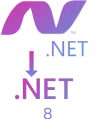
.NET Framework to .NET 8 Modernisation
Migrating legacy .NET Framework applications (Windows Forms, WPF, WCF services, console apps, class libraries) to modern .NET 8 - unlocking performance improvements, cross-platform execution, and access to modern .NET libraries. Migration approach for desktop apps: Windows Forms and WPF both have first-class .NET 8 support - migration is typically straightforward (update project files to SDK-style format, resolve deprecated API usage, update NuGet packages). Class library migration: SDK-style project conversion, NuGet package updates, platform-specific API replacement. WCF server-side migration: WCF has no .NET Core equivalent - must be replaced with ASP.NET Core gRPC or Web API. Output: Modern .NET 8 application with improved performance, reduced memory usage, and access to current .NET features.

Desktop-Web Hybrid Architecture
Applications combining a .NET desktop frontend with an ASP.NET Core backend - enabling web deployment of backend logic while retaining a native desktop UX for users who need it. Patterns: WPF or MAUI desktop application communicating with an ASP.NET Core Web API (the API can also serve web browser clients and mobile clients - shared backend). WebView2 (Microsoft Edge's rendering engine embedded in WPF or WinForms) for sections of the desktop app using web technologies. Electron.NET for web-first UI deployed as desktop application. Desktop shell with embedded browser for admin panels or reports (leveraging existing web UI without full desktop reimplementation). Particularly useful when transitioning from a legacy desktop-only application to a web application - the hybrid allows gradual migration with the desktop remaining live.
Need a Desktop Application, Cross-Platform Mobile App, or Background Service on .NET - From a Team That Builds All Three?
Tell us your application type, your team's technology background, and your deployment requirements. We will recommend the right .NET application model and design a solution that shares code across all components.


Why Choose Evolution Infosystem for .NET Application Development?
Building across multiple .NET application types requires understanding not just C# and the language, but the specific patterns, toolkits, and constraints of each application model. A developer experienced in ASP.NET Core may not know MVVM patterns for WPF, and a WinForms developer may not know MAUI's platform abstraction layers. Our team covers the full .NET breadth:
MVVM Architecture for Desktop Applications
WPF and .NET MAUI applications built without MVVM become untestable, unmaintainable code-behind spaghetti within 12 months. We implement MVVM using CommunityToolkit.Mvvm - ViewModels with [ObservableProperty] source generators, [RelayCommand] for command binding, strongly-typed navigation, and ViewModel-first navigation for MAUI. Business logic is in ViewModels and services - never in code-behind. Every ViewModel is unit-testable with xUnit without instantiating any UI controls.
Shared Class Libraries - DRY Across Application Types
When a project includes a .NET MAUI mobile app and an ASP.NET Core backend, domain entities, DTOs, validators, and API client code that exist only in one place should be shared via a .NET class library targeting netstandard2.0 or net8.0. We design shared library boundaries upfront - identifying what can be shared and packaging it correctly. This prevents the most common .NET multi-project mistake: duplicating model classes between the web and mobile projects and then discovering they have drifted apart.
Offline-First Architecture for MAUI Apps
Enterprise .NET MAUI applications for field workers (manufacturing, logistics, field service) often need to work without internet connectivity - a factory floor may have no Wi-Fi in certain zones, a delivery driver in rural areas loses mobile signal. Offline-first architecture: SQLite local database with SQLite-net-pcl or EF Core SQLite provider, local-first data operations, background sync when connectivity is available (Connectivity.NetworkAccess API), conflict resolution strategy for concurrent edits, and sync status indicators in the UI. Designing for offline from the start is far cheaper than retrofitting it after launch.
NuGet Package Management and Dependency Hygiene
Large .NET applications accumulate NuGet dependencies that become security liabilities and upgrade blockers. We manage NuGet hygiene: using Central Package Management (Directory.Packages.props) to enforce consistent versions across all projects in the solution, dotnet list package --vulnerable to identify packages with known CVEs, transitive dependency auditing, and maintaining a minimal dependency footprint (not adding a 500KB NuGet package to get one utility function). Security patches applied promptly - .NET applications with unpatched NuGet dependencies are a common enterprise security finding.
Performance Profiling - Not Guessing
Desktop and service application performance problems are rarely where developers guess they are. The correct approach is profiling: Visual Studio Diagnostic Tools for memory allocation and CPU sampling, dotnet-trace and dotnet-counters for production performance monitoring on servers, BenchmarkDotNet for micro-benchmarks of critical code paths, and memory leak detection with dotMemory or PerfView. We profile before optimising - identifying the actual bottleneck rather than applying micro-optimisations to code that is not in the hot path.
.NET Version Lifecycle Management
Microsoft releases a new .NET version annually - even-numbered versions are LTS (3-year support), odd-numbered are STS (18 months). Applications on out-of-support .NET versions receive no security patches. We track the .NET version lifecycle for all maintained applications and plan migration before end-of-support. .NET 6 (LTS) reached end-of-support November 2024 - any application on .NET 6 is now unpatched. We provide proactive .NET version upgrade services as part of maintenance contracts.
Our .NET Development Technology Stack
| CATEGORY | PRIMARY | OPTION 2 | OPTION 3 | OPTION 4 | OPTION 5 |
|---|---|---|---|---|---|
| .NET Runtime | .NET 9 (latest) | .NET 8 (LTS) | .NET 6 (EOL - migration) | - | - |
| Language | C# 13 | F# 9 (functional) | VB.NET (legacy) | - | - |
| Desktop - Rich UI | WPF (.NET 8/9) | Windows Forms | Avalonia (cross-platform) | - | - |
| Cross-Platform UI | .NET MAUI 8/9 | Uno Platform | AvaloniaUI | - | - |
| MVVM Framework | CommunityToolkit.Mvvm | Prism (enterprise) | ReactiveUI | MVVM Light | - |
| Web/API | ASP.NET Core MVC | Minimal API | Blazor Server/WASM | - | - |
| ORM | Entity Framework Core 8 | Dapper | ADO.NET (raw) | - | - |
| Desktop UI Components | Syncfusion | DevExpress | Telerik | Infragistics | - |
| Local Database | SQLite (mobile/desktop) | LiteDB | SQL Server LocalDB | - | - |
| Dependency Injection | Microsoft.Extensions.DI | Autofac | - | - | - |
| Testing | xUnit + Moq | NUnit | BenchmarkDotNet | FluentAssertions | - |
| Packaging/Deploy | MSIX (Windows) | ClickOnce | Self-contained exe | dotnet tool | - |
| Background/Services | IHostedService (.NET) | Hangfire (jobs) | Quartz.NET (cron) | Windows Service | Linux systemd |
Category
- PRIMARY.NET 9 (latest)
- OPTION 2.NET 8 (LTS)
- OPTION 3.NET 6 (EOL - migration)
Our .NET Application Development Process - 6 Phases
Loading timeline…
.NET Application Use Cases by Industry
Manufacturing and Production
WPF operator panels, MAUI field apps, ERP integration
WPF production operator interface: touch-optimised WPF application on shop floor tablets running Windows, job card display, step-by-step production instructions, quality checkpoint recording, defect marking on diagram, production count entry, and real-time OEE display via SignalR from ASP.NET Core backend. .NET MAUI field inspection app (Android tablets): offline-first inspection checklists, photo capture for defect documentation, barcode scanning for work order identification, and background sync to ERP when Wi-Fi available. Background service: scheduled inventory sync between custom app and Tally via XML API.

Logistics and Field Service
Delivery apps, field service, route management
.NET MAUI delivery management app: driver app (Android) receiving delivery assignments from ASP.NET Core backend, navigation to delivery address (MapKit/Google Maps integration), delivery confirmation with photo and signature capture, cash collection recording, real-time status updates pushed via SignalR to dispatch dashboard. Field service mobile app: technician receives job assignments, records time and parts used, captures equipment photos, obtains customer signature on completion, and syncs all data when back in coverage. GPS location tracking background service on device.

Healthcare and Diagnostics
LIS, patient apps, medical device integration
WPF Laboratory Information System (LIS): sample accession, test workflow management, result entry (manual and from instrument via serial/RS-232 COM port integration), result validation and authorisation, QC charting, and result report printing. Patient-facing .NET MAUI app: appointment booking, lab report download, doctor consultation notes, medication reminders (local notifications), and teleconsultation (WebRTC via SignalR). Medical device integration background service: polling HL7 messages from hospital information system, transforming and inserting into SQL Server.

Financial Services and Audit
Branch tools, audit apps, reconciliation, reporting
WinForms branch office tools: loan disbursement processing, passbook printing (via LPT printer integration), customer ledger viewing, and daily cash reconciliation for bank branches running Windows XP-era hardware where WinForms on .NET 8 provides a migration path from legacy VB6. .NET MAUI audit app for CA firms: offline-first audit workpaper management, checklist completion with evidence photo attachment, and sync to central ASP.NET Core backend. Background service: nightly GST reconciliation between accounting system and GSTN portal, generating discrepancy reports.

Retail and Distribution
POS systems, van sales, merchandising, inventory
WinForms or WPF POS (Point of Sale) terminal: barcode scanning via USB HID, product lookup, cart management, Razorpay payment terminal integration via SDK, GST invoice printing, cash drawer control via COM port, and daily sales summary upload to ERP. .NET MAUI van sales app: salesman receives order book from backend, records orders during customer visits (offline), captures GPS location of each visit, and syncs all orders when returning to depot. Merchandising app: shelf-level stock counting with barcode scan, competitor price recording, and photo upload for display compliance.

Enterprise IT and DevOps
Internal tools, automation, data processing, CLI
Console and background service applications for enterprise IT: data migration console tools (reading legacy database formats, transforming, writing to new schema), ETL pipelines processing CSV/Excel/JSON files from supplier feeds and loading to ERP, API integration background services (polling e-commerce orders, pushing to ERP, pushing shipping updates back), monitoring and alerting services (checking database backup completion, alerting via Teams webhook on failure), and developer CLI tools (Spectre.Console-based scaffolding tools, code generation utilities, and environment provisioning scripts).
Running a legacy .NET Framework desktop app?
We migrate WinForms and WPF applications from .NET Framework to .NET 8 - faster startup, lower memory, Windows 11 compatibility. 8-12 weeks typical timeline.


Want to see our .NET work?
Browse 200+ .NET projects - WPF production tools, MAUI field apps, background services, desktop migrations - all live.
.NET MAUI vs React Native vs Flutter - Which Cross-Platform Framework Is Right for Your Business?
| FACTOR |  |  |  |
|---|---|---|---|
| Language | C# | JavaScript / TypeScript | Dart |
| Platform targets | Android, iOS, Windows, macOS | Android, iOS, (Web experimental) | Android, iOS, Web, Desktop |
| Windows desktop | Yes - first-class target | Limited - not primary | Limited - beta quality |
| Performance | Near-native (compiled) | Bridge overhead (improving) | Excellent (Skia rendering) |
| Code sharing with backend | .NET class libraries shared with ASP.NET Core | Some sharing via NestJS | Limited - different ecosystem |
| Team fit | C# / .NET teams | JavaScript / React teams | Dart specialists or cross-trained |
| Offline support | Excellent - SQLite native | Good - AsyncStorage + SQLite | Good - sqflite |
| Ecosystem maturity | Newer (post-Xamarin) | Mature - large ecosystem | Mature - growing rapidly |
| Enterprise adoption | Microsoft shops, .NET orgs | Broad - Meta-backed | Growing - Google-backed |
| BLE / Hardware access | Good - native .NET Bluetooth | Good - third-party packages | Good - plugins |
| Best for | Existing .NET teams, Windows desktop needed, code sharing with backend | Large JS teams, cross-platform web+mobile | Performance-critical UI, new teams open to Dart |
 SELECTION GUIDE: Choose .NET MAUI when your team has C# expertise (no JavaScript/TypeScript context switch), your application also needs a Windows desktop version (MAUI is the only framework offering all four targets - Android, iOS, Windows, macOS - from one codebase), you have an ASP.NET Core backend and want to share domain models and validators, or your organisation is already invested in the Microsoft ecosystem. Choose React Native when your team is JavaScript/TypeScript-first, you have web developers who can transition to mobile, or you need the largest cross-platform mobile package ecosystem. Choose Flutter when performance and visual quality are the primary concern (Flutter's Skia/Impeller rendering produces the most consistent cross-platform pixel output), your team is open to learning Dart, or you need excellent web support alongside mobile.
- For Indian enterprise applications that already have ASP.NET Core backends and development teams proficient in C#, .NET MAUI is the natural choice - shared code, shared tools, shared knowledge.

Frequently Asked Questions - .NET Application Development
.NET (specifically .NET 8 and .NET 9) supports building virtually every application type in C#: web applications and RESTful APIs (ASP.NET Core), Windows desktop applications (WPF for rich UI, Windows Forms for data-entry tools), cross-platform mobile and desktop apps (MAUI targeting Android, iOS, Windows, macOS), interactive web UIs using C# without JavaScript (Blazor), background processing services (IHostedService, Windows Services, Linux daemons), console CLI tools, cloud-native microservices, serverless functions (Azure Functions), IoT applications on constrained devices (.NET nanoFramework), and games (Unity). The unified .NET platform means all these application types share the same language (C#), base class library, NuGet package ecosystem, toolchain (Visual Studio, dotnet CLI), and testing framework (xUnit) - enabling code sharing across application types and a consistent developer experience.
These represent three generations of Microsoft's development platform. .NET Framework (2002-2019) was Windows-only, closed-source, and ran on the full Windows framework installed on the machine. It is now in maintenance mode receiving security fixes only - no new features. .NET Core (2016-2020) was Microsoft's open-source, cross-platform re-implementation designed to run on Windows, Linux, and macOS - faster and more modular than Framework. .NET 5 onwards (current releases - .NET 6, 7, 8, 9) unified .NET Core, Xamarin, and Mono into a single platform called simply '.NET' - cross-platform, open-source, high-performance, and actively developed. New development should target .NET 8 (LTS) or .NET 9 (current). .NET Framework applications continue to work but should plan migration to .NET 8 for long-term viability.
.NET MAUI (Multi-platform App UI) is Microsoft's framework for building cross-platform native applications from a single C# codebase. It targets four platforms: Android (running on Android 5.0 / API 21 and above), iOS (running on iOS 14 and above), macOS (running on macOS 12 and above via Mac Catalyst), and Windows (running on Windows 10 version 1809 and above via WinUI 3). One project, one codebase, four native applications. MAUI uses .NET's platform abstraction: common UI controls (Entry, Button, ListView, Shell navigation) render as native controls on each platform. Platform-specific behaviour is implemented via platform-specific service implementations behind interfaces - the ViewModel and business logic are platform-agnostic; platform services are injected via dependency injection. MAUI is the successor to Xamarin.Forms, which is now end-of-life.
Choose WPF when: the application needs rich UI with custom graphics, animations, or resolution-independent rendering; you want MVVM architecture with strong data binding (WPF's binding engine is significantly more powerful than WinForms); the application will display complex data visualisation, charts, or printed reports; or the long-term maintainability of MVVM-structured code is a priority. Choose Windows Forms when: the application is a simple data-entry tool or internal utility where rapid development speed matters more than UI richness; the development team is more familiar with WinForms and the project timeline is short; the application must support very old hardware or Windows versions; or you are modernising an existing WinForms application from .NET Framework to .NET 8 (direct migration, no rewrite). Both frameworks are fully supported on .NET 8 and will continue to receive updates on future .NET versions.
IHostedService is .NET's interface for implementing long-running background tasks hosted within the Generic Host - the .NET application hosting model used by ASP.NET Core, console apps, and Windows Services. BackgroundService is an abstract class implementing IHostedService that simplifies the pattern for continuous background workers (override ExecuteAsync with your work loop). A Windows Service is a specific deployment mode where a .NET Generic Host application runs as a Windows OS service - started and stopped by the Windows Service Control Manager, running without a user session, starting at system boot. The same code using IHostedService/BackgroundService can be deployed as a Windows Service (UseWindowsService() extension method), a Linux systemd service (UseSystemd()), a Docker container, or an Azure Container Apps Job - the deployment target is a configuration choice, not a code change.
Code sharing between .NET MAUI and ASP.NET Core is straightforward - both run on the same .NET runtime and NuGet package ecosystem. Create a separate Class Library project in your solution targeting net8.0 (or netstandard2.0 for broader compatibility). Place in this shared library: domain entity classes and records, data transfer objects (DTOs) used in both API responses and MAUI model binding, FluentValidation validators for business rules, API client interface definitions and implementations using IHttpClientFactory, constants and enumerations, and utility/extension methods. Both the MAUI project and the ASP.NET Core project reference this shared library as a project reference - changes to shared models are instantly reflected in both applications. This eliminates the most common cross-platform bug: the mobile app's model class drifting out of sync with the API's response model.
Microsoft follows a predictable .NET release schedule: one new major version per year in November. Even-numbered versions are LTS (Long-Term Support) - 3 years of support. Odd-numbered versions are STS (Standard-Term Support) - 18 months. Current versions as of early 2026: .NET 9 (STS - released November 2024, supported until May 2026), .NET 8 (LTS - released November 2023, supported until November 2026). Planning implication: .NET 8 LTS is the safe choice for enterprise applications requiring predictable, long-term support. .NET 6 LTS reached end-of-support in November 2024 - any application on .NET 6 is unpatched and should be upgraded to .NET 8. End-of-support .NET applications are a security liability - they receive no patches for newly discovered runtime or BCL vulnerabilities.
Migrating Windows Forms or WPF applications from .NET Framework to .NET 8 is generally the most straightforward .NET migration type - both frameworks are fully supported on modern .NET and the code changes required are typically minimal. Process: (1) Convert project file from old-style .csproj to SDK-style format (the .NET Upgrade Assistant tool from Microsoft can do this automatically). (2) Update NuGet packages - most popular packages have .NET 8 compatible versions; identify any that do not. (3) Address deprecated APIs - some .NET Framework APIs are missing in .NET 8 (typically Windows-specific APIs that were never ported, or APIs deliberately removed as insecure). (4) Address platform compatibility warnings - .NET Compatibility Analyzer flags APIs that only work on Windows. (5) Test thoroughly. The .NET Upgrade Assistant extension for Visual Studio automates steps 1-3. Timeline: a typical 50,000-line WinForms application migrates in 2-4 weeks. The main difficulty is dependencies with abandoned NuGet packages that have no .NET 8 equivalent.
WPF desktop application development, Windows Forms development, .NET MAUI cross-platform app development, .NET microservices architecture, .NET background services and Windows Services, console and CLI tools, ASP.NET Core web applications, and .NET Framework to .NET 8 modernisation.
.NET 8 (LTS - Long Term Support, supported until November 2026) for projects requiring long-term stability, and .NET 9 (latest) for projects wanting current platform features.
Yes. Evolution Infosystem builds .NET MAUI applications targeting Android, iOS, Windows, and macOS from a single C# codebase - with offline-first SQLite architecture and ASP.NET Core Web API backend sharing domain models via class libraries.
Yes. Evolution Infosystem migrates Windows Forms and WPF applications from .NET Framework 4.x to .NET 8 - using the .NET Upgrade Assistant for automated project conversion and handling manual package replacements where .NET 8 equivalents are needed.
Yes. Evolution Infosystem builds .NET BackgroundService implementations deployed as Windows Services (UseWindowsService()) or Linux daemons (UseSystemd()) - including scheduled sync services, event-driven processors, file watchers, and report generators.
Ready for .NET Applications Built to Last - Desktop, Mobile, Web, and Services from One Ecosystem?
200+ .NET projects. WPF. MAUI. WinForms. Background Services. Migrations. Manufacturing, logistics, healthcare, BFSI.