CI/CD Pipeline: What It Is and Why Every Development Team Needs One
Here is a scenario that plays out in hundreds of development teams every week. A developer finishes a feature, manually runs a few tests, zips the files, logs into the server, uploads them, restarts the application, and prays nothing breaks. Something does. The rollback is manual. It takes two hours. The on-call engineer is awake at midnight.
This is not an exaggeration. It is the reality for development teams that haven’t implemented a CI/CD pipeline. The manual deployment process isn’t just slow. It’s a compounding source of inconsistency, human error, and preventable incidents that erode delivery speed and engineer morale in equal measure.
A CI/CD pipeline replaces every manual step in that process with automated, repeatable, auditable execution. Here’s exactly what that means, how it works, and what a well-built pipeline looks like in practice.
What CI/CD Actually Means
→ CI – Continuous Integration is the practice of automatically integrating every code change into a shared repository and immediately running a defined set of automated tests. The moment a developer pushes code, the CI system builds the application and runs the test suite. If the build breaks or tests fail, the developer knows within minutes – not hours, not at the deployment stage.
→ CD – Continuous Delivery extends CI by automatically preparing every successful build for deployment. The application is packaged, environment variables are injected, infrastructure is validated, and the build is made ready to deploy at any time at the push of a button.
→ CD – Continuous Deployment goes one step further: every successful build is automatically deployed to production without manual intervention. Not every team needs or wants full continuous deployment – regulated environments, large enterprises, and teams with complex sign-off requirements often prefer continuous delivery with a manual final approval step.
Together, CI/CD pipelines transform software delivery from a periodic, high-risk event into a continuous, low-risk process.
Why Teams Without CI/CD Ship Slower and Break More
The argument for CI/CD is often framed as a speed argument. It’s also a quality argument, and the quality argument is at least as important.
→ The integration problem.
In teams without CI, developers work in isolation for days or weeks before merging code. When they do merge, they discover conflicts, broken interfaces, and incompatible changes that have accumulated while everyone worked separately. The longer the integration interval, the more painful the merge. CI reduces this interval to hours or minutes, making every merge a small, manageable event rather than a painful, disruptive one.
→ The “works on my machine” problem.
Manual deployments are inherently inconsistent. The environment on a developer’s laptop differs from staging, which differs from production. Steps get skipped. Environment variables differ. Configurations diverge. A CI/CD pipeline runs in a clean, defined environment every time. What works in the pipeline will work in production.
→ The feedback delay problem.
Without CI, a bug introduced on Monday might not be discovered until the Friday deployment, when it’s buried under four days of additional code changes. Finding and fixing it requires archaeology. With CI, the bug is caught minutes after introduction, when it’s trivially easy to identify and fix.
→ The deployment anxiety problem.
Teams without CI/CD learn to fear deployment. Deployments are infrequent because they’re risky. They’re risky because they’re large, manual, and untested in the target environment. CI/CD makes deployments small, frequent, and boring – exactly what they should be.
What a CI/CD Pipeline Actually Contains
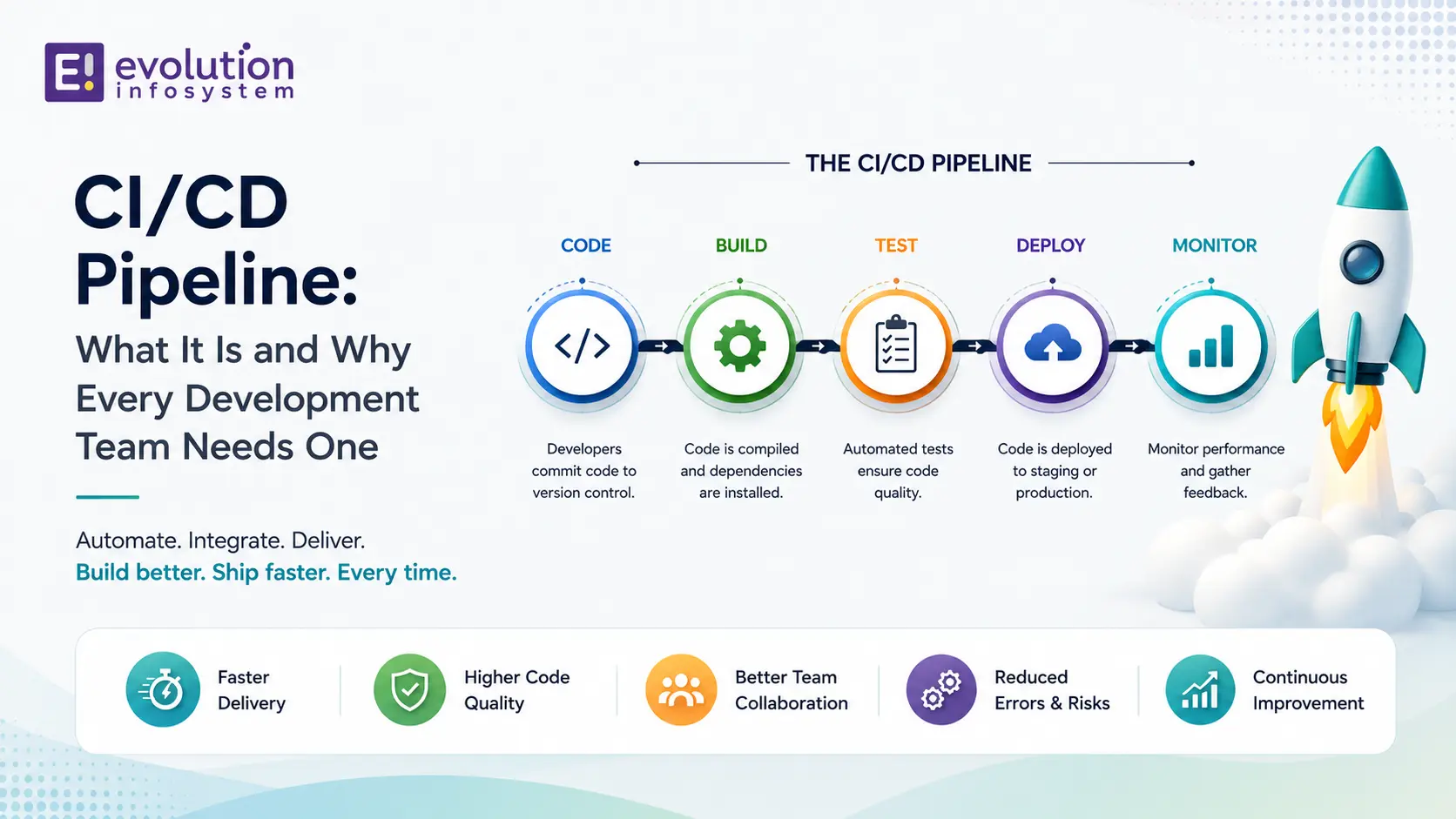
A well-built CI/CD pipeline covers five stages. Each stage is a gate – a build that fails a stage doesn’t proceed to the next one.
Stage 1: Source Control Trigger
The pipeline starts automatically on every code push to the repository. Typically, different branches trigger different pipeline behaviour: pushes to feature branches trigger build and test only; merges to the main branch trigger the full pipeline through to staging deployment; tagged releases trigger production deployment.
Stage 2: Build
The application is compiled, dependencies are resolved, and a deployable artefact is produced – a Docker container image, a compiled binary, a packaged application archive. The build must be:
- Reproducible: the same source code always produces the same artefact
- Environment-agnostic: the build doesn’t depend on what’s installed on any particular machine
- Fast: build steps that take 20 minutes become a productivity bottleneck; optimise aggressively
Stage 3: Automated Testing
This is the heart of the CI pipeline. Every successful build runs against a defined test suite. A comprehensive test suite includes:
→ Unit tests. Test individual functions, methods, and components in isolation. Fast (seconds to minutes), numerous, and the first line of defence against regressions. Code coverage targets vary by team – 70–80% is a practical minimum for production software.
→ Integration tests. Test the interaction between components – your application code and your database, your API and its dependencies, your service and its message queue. Slower than unit tests but catch a different and important class of failures.
→ End-to-end tests. Test complete user workflows through the application – from browser interaction to database state. Slowest to run, most expensive to maintain, but catch failures that unit and integration tests miss because they test the system as the user experiences it.
→ Security scanning. Static analysis security testing (SAST) runs against the source code to identify known vulnerability patterns. Dependency scanning checks third-party libraries against known vulnerability databases (CVE). These run automatically on every build – not as a separate security audit after deployment.
→ Linting and code quality. Style consistency, unused variables, complexity metrics. Catching these in CI is cheaper than catching them in code review.
Stage 4: Staging Deployment
Every successful build is deployed automatically to a staging environment that mirrors production as closely as possible. The same infrastructure configuration, the same environment variables, the same database schema. This is where:
- Manual QA testing happens against a real deployment (not a local development environment)
- Performance testing runs under realistic load
- Integration partners or external systems are tested against a non-production environment
The staging environment should be reset regularly to match production state. A staging environment that’s drifted significantly from production is not a reliable proxy for production behaviour.
Stage 5: Production Deployment
The final stage. Depending on your team’s deployment philosophy, this is either automatic (continuous deployment) or manual with a single approval step (continuous delivery).
A well-implemented production deployment includes:
→ Blue-green or rolling deployment. Traffic shifts gradually from the old version to the new one. No big-bang cutover.
→ Automated smoke tests post-deployment. A small suite of critical tests runs immediately after production deployment to verify the application is healthy before the old version is decommissioned.
→ Automatic rollback on failure. If smoke tests fail or error rates spike after deployment, the pipeline automatically reverts to the previous version. No human intervention required.
→ Deployment notification. The team knows when a deployment completes, what was deployed, and whether it succeeded or triggered a rollback. Visibility is essential.
The Tools That Power Modern CI/CD Pipelines
→ GitHub Actions is the most widely adopted CI/CD platform for teams already on GitHub. Workflows are defined in YAML files committed to the repository – the pipeline is code, versioned alongside the application. Extensive marketplace of pre-built actions for common tasks.
→ GitLab CI/CD is comparable in capability to GitHub Actions and integrates natively with GitLab’s repository and issue tracking. Strong choice for teams self-hosting their git infrastructure.
→ Jenkins is the established open-source CI/CD platform with the widest plugin ecosystem. More configuration overhead than GitHub Actions or GitLab CI but more flexibility for complex enterprise requirements.
→ CircleCI, Buildkite, and TeamCity are widely used in enterprise environments with specific performance or security requirements.
For containerised applications, Docker for build artefacts and Kubernetes for deployment orchestration are standard. On the cloud platforms: AWS CodePipeline, Azure DevOps, and Google Cloud Build are the native options for teams committed to a single cloud provider.
Common CI/CD Anti-Patterns to Avoid
→ Tests that only run locally.
If the test suite runs on developer machines but not in CI, it’s not a safety net. It’s a suggestion. Tests belong in the pipeline.
→ A single long-running pipeline.
A CI pipeline that takes 45 minutes to run discourages frequent commits. Break it into fast (unit tests in under 5 minutes) and slow (integration and end-to-end tests) stages. Run the fast stage on every commit; run the slow stage before deployment.
→ Secrets in the pipeline configuration.
Environment variables, API keys, and credentials should never appear in pipeline YAML files or source code. They belong in a secrets manager (AWS Secrets Manager, HashiCorp Vault, GitHub Actions secrets) referenced by the pipeline, not embedded in it.
→ Skipping stages under pressure.
The instinct to bypass CI/CD stages to accelerate a hotfix deployment is understandable and almost always wrong. The hotfix that skips testing is the fix that introduces the second incident.
Frequently Asked Questions (FAQs)
What is a CI/CD pipeline in simple terms?
A CI/CD pipeline is an automated system that takes code from a developer’s commit to a running production deployment – automatically building, testing, and deploying without manual steps. It makes software delivery fast, consistent, and safe.
What is the difference between continuous integration, continuous delivery, and continuous deployment?
Continuous integration automatically builds and tests every code change. Continuous delivery automatically prepares every successful build for deployment but requires a manual approval step to release. Continuous deployment removes the manual step – every successful build is automatically deployed to production.
How long does it take to set up a CI/CD pipeline?
A basic CI/CD pipeline (automated build, unit tests, staging deployment) can be set up in 1–2 weeks for a typical web application. A production-grade pipeline with comprehensive test coverage, security scanning, performance testing, blue-green deployment, and automatic rollback typically takes 4–6 weeks to build and tune properly.
Which CI/CD tool is best?
GitHub Actions is the default recommendation for teams on GitHub due to its native integration, YAML-based configuration, and extensive action marketplace. GitLab CI/CD is comparable for GitLab users. Jenkins is the most flexible but carries more operational overhead. For AWS-deployed applications, AWS CodePipeline with CodeBuild integrates cleanly with the rest of the AWS toolchain.
Can CI/CD pipelines work for mobile app development?
Yes. Mobile CI/CD pipelines (often called fastlane pipelines) automate building, testing, code signing, and submitting to the App Store and Google Play. The pipeline stages are different from web application pipelines – device testing, screenshot generation, and app store submission replace staging server deployment – but the principle and benefits are identical.
At Evolution Infosystem, CI/CD pipeline setup and DevOps automation is part of every development engagement. We build pipelines on GitHub Actions, GitLab CI, and AWS CodePipeline, including test automation, security scanning, staging environments, and zero-downtime production deployments. If your deployment process still relies on manual steps, fear, or midnight on-call calls, let’s fix that.