The Shopify SEO Checklist That Actually Moves Rankings
Most Shopify SEO checklists read like a list of chores: add alt text, write meta descriptions, submit a sitemap. None of that is wrong, but it also is not what actually moves rankings in 2026. Google’s algorithms have gotten sharper about distinguishing genuine technical health and topical authority from surface-level box-checking, and AI-driven search summaries have added a second layer of visibility most checklists still ignore entirely.
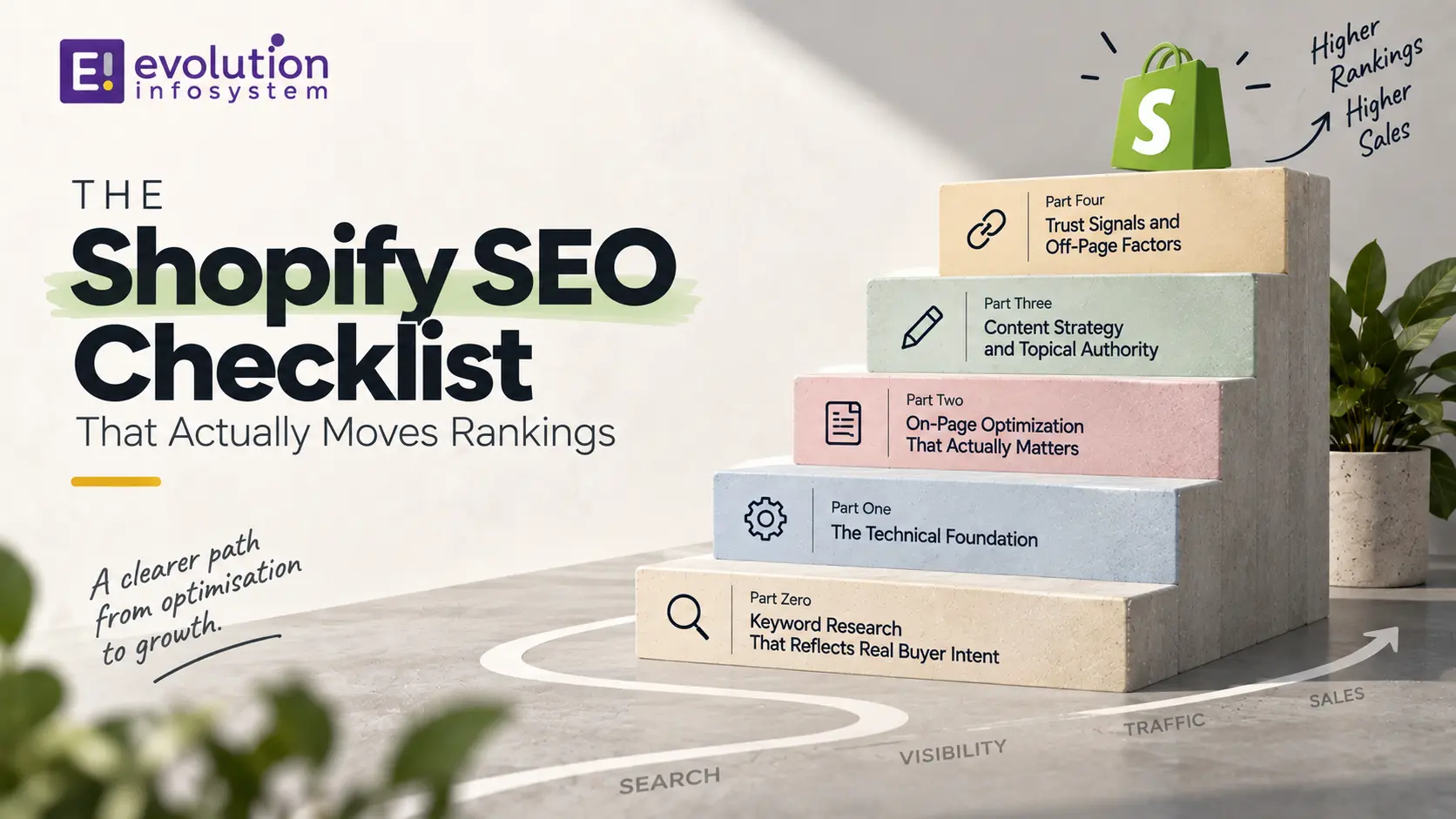
This is a working checklist built around what actually correlates with ranking improvement on Shopify specifically, not generic ecommerce advice ported over from WordPress. It is organized by leverage, starting with the technical foundation that determines whether your best content ever gets indexed at all, then moving through on-page optimization, content strategy, and the trust signals that increasingly separate stores Google ranks confidently from stores it ranks cautiously.
Part Zero: Keyword Research That Reflects Real Buyer Intent
Before touching a single technical setting, it is worth grounding this entire checklist in genuine keyword research, since even flawless technical execution cannot compensate for optimizing around the wrong terms entirely.
Separate your keyword targets into three practical buckets: transactional terms someone types when they are ready to buy a specific product, informational terms someone types while still researching or comparing options, and navigational terms someone types when they already know your brand and are looking for you specifically. Product pages should target transactional terms directly, blog content should target informational terms to capture earlier-funnel traffic, and your homepage and core navigation should be clean enough that navigational searches find you without friction.
Map each target keyword to exactly one page on your site, since having several pages competing for the same term splits your ranking signal rather than reinforcing it, a mistake that shows up constantly on Shopify stores with overlapping collection and product page targeting nobody has ever audited.
Why Shopify SEO Is Different From Generic SEO
Shopify’s platform architecture creates specific technical patterns that generic SEO advice does not account for, which is why store owners following standard checklists often plateau despite doing “everything right.”
Shopify automatically generates multiple URLs for the same product depending on which collection a shopper clicked through to reach it, creating duplicate content risk that platforms like WordPress simply do not have by default. Shopify also limits direct access to certain server-level files and configurations that other platforms let you control freely, meaning some technical fixes require theme-level workarounds rather than a simple settings change.
Understanding these platform-specific quirks before working through any checklist is what separates fixes that actually resolve an issue from fixes that look complete but leave the underlying problem untouched.
Part One: The Technical Foundation
Fix Collection-Based URL Duplication
This is the single most Shopify-specific technical issue on this entire checklist, and most generic SEO tools do not catch it. When a product appears in multiple collections, Shopify can generate several different URLs for the exact same product page, splitting your ranking signals across duplicates instead of consolidating them onto one authoritative URL.
Verify your theme correctly implements canonical tags pointing every collection-based variant back to the master product URL. If you are unsure whether your current theme handles this correctly, check the page source of a product accessed through two different collections and compare the canonical tag; if they do not both point to the same master URL, you have a real problem worth fixing before anything else on this list.
Audit and Control Crawl Budget
Search engines allocate a limited crawl budget to every site, and Shopify stores commonly waste theirs on faceted filter URLs, tag pages, and other low-value combinations that multiply endlessly as customers filter by size, color, or price.
Use a custom robots.txt configuration to block search engines from crawling these low-value parameter combinations, and apply noindex tags to filtered collection pages that offer no unique content beyond a re-sorted product list. Freeing up crawl budget from this kind of waste means search engines spend more of their limited attention actually discovering and re-crawling your genuinely valuable pages.
Get Core Web Vitals Into the Green
Core Web Vitals remain a confirmed ranking factor, and Shopify stores with poor mobile performance scores see measurably less organic traffic than comparable stores with fast, stable pages. The three metrics that matter are Largest Contentful Paint, which measures how quickly the main content loads, Interaction to Next Paint, which measures how responsive the page feels once a user starts clicking, and Cumulative Layout Shift, which measures whether elements jump around unexpectedly as a page loads.
The most common Shopify-specific culprits behind poor scores are unoptimized product images and an accumulation of apps injecting their own JavaScript, each one adding a small amount of load time that compounds across a dozen installed apps into a genuinely slow storefront. Run your key pages through PageSpeed Insights, identify the specific bottleneck rather than guessing, and prioritize fixing whichever app or image issue is contributing the most measurable delay.
Implement Structured Data Properly
Structured data, delivered through JSON-LD schema markup, is no longer a nice-to-have for ecommerce; it directly determines whether your products show up with star ratings, price, and availability directly in search results, which meaningfully increases click-through rates compared to a plain blue link.
At minimum, implement Product, Offer, and BreadcrumbList schema across your product pages, and Review schema wherever you display genuine customer reviews. Validate your implementation using Google’s Rich Results Test rather than assuming your theme or an app handles this correctly by default, since incomplete or malformed schema can fail silently without any obvious symptom beyond simply not showing up as a rich result.
Confirm Mobile Excellence, Not Just Mobile Responsiveness
Mobile now accounts for the majority of ecommerce search traffic, and Google’s mobile-first indexing means the mobile version of your site is what actually gets evaluated for ranking purposes, not the desktop version. A theme that is technically responsive is no longer sufficient on its own; every piece of content, every internal link, and every schema element present on desktop needs to function identically on mobile.
Test your key templates directly on a physical device, not just a browser’s responsive preview mode, since real mobile rendering occasionally reveals layout or interaction issues that desktop-based testing tools miss entirely.
Set Up Google Search Console and Monitor It Regularly
Google Search Console is free, and it is the most direct line of communication you have with how Google actually sees your site: which pages are indexed, which have crawl errors, which keywords are already driving impressions, and which Core Web Vitals issues Google has flagged directly. Many store owners install it once during initial setup and never open it again, missing months of early warning signals about indexing or performance problems.
Check it at least monthly, paying particular attention to the Coverage report for pages Google has excluded from the index and the Core Web Vitals report for any pages flagged as needing improvement. Catching a sudden spike in crawl errors or excluded pages early, rather than months later, can be the difference between a quick fix and a prolonged, unexplained traffic decline.
Manage Redirects Properly During Any Site Changes
Every time you delete a product, change a URL handle, or restructure your collection navigation, any existing inbound links and search engine index entries pointing to the old URL need a proper 301 redirect to the new location. Skipping this step means both real visitors and search engine crawlers hit a dead end, wasting whatever ranking authority that old URL had accumulated.
Build a habit of checking Shopify’s URL redirect settings every time you make a structural change, and periodically audit your existing redirects for chains, where one redirect points to another redirect instead of directly to the final destination, since redirect chains slow down both crawling and the actual user experience unnecessarily.
Keep Your Site Structure Shallow and Logical
Search engines generally favor a site structure where any page can be reached within a small number of clicks from the homepage, since a deep, convoluted structure dilutes the authority passed down to pages buried many levels deep. Keep your collection hierarchy simple: homepage to top-level collection to product, without unnecessary intermediate category layers that add clicks without adding genuine navigational value for shoppers.
Part Two: On-Page Optimization That Actually Matters
Write Genuinely Unique Product Descriptions
Copying manufacturer-supplied product descriptions verbatim is one of the most common and most damaging mistakes on Shopify specifically, since it means your product page competes against dozens of other retailers selling the identical product with the identical description, giving Google no reason to favor your version over anyone else’s.
Rewrite descriptions to reflect your own voice, address specific customer questions, and include genuine, specific details a manufacturer’s generic copy would not include. This is slower than copy-pasting, but it is one of the highest-leverage individual actions on this entire checklist for product pages specifically.
Optimize Title Tags and Meta Descriptions With Intent in Mind
Every product, collection, and blog page needs a custom title tag and meta description, but the more important discipline is writing them around actual search intent rather than simply stuffing in your product name and category.
Think about what someone searching for this specific product actually wants to know before they click, whether that is a price point, a specific feature, or a use case, and reflect that directly in your title tag and description rather than defaulting to a generic template repeated across every page on your store.
Clean Up URL Handles
Shopify auto-generates URL handles from product titles, which can produce long, keyword-stuffed, or awkward URLs if left unedited. Manually review and shorten handles to something clean and readable, ideally including your primary target keyword without unnecessary filler words.
Changing an existing URL handle after a page has already been indexed requires setting up a proper redirect, so this is best addressed at the time of product creation rather than retrofitted across an entire established catalog unless you are prepared to manage the redirect cleanup carefully.
Add Genuine Alt Text, Not Keyword-Stuffed Filler
Every product image needs alt text that accurately describes what the image actually shows, which helps both accessibility and image search visibility. Avoid the common mistake of stuffing the same target keyword into every single image’s alt text regardless of what that specific image depicts, since this pattern is easy for search engines to identify as manipulative rather than genuinely descriptive.
Part Three: Content Strategy and Topical Authority
Publish a Genuinely Useful Blog, Not a Content Mill
Shopify stores with an active, genuinely useful blog see measurably more organic traffic than stores without one, largely because blog content targets informational search queries that bring potential customers into your funnel before they are ready to buy, queries your product pages alone cannot capture.
The key word is genuinely useful. A blog stuffed with thin, generic posts written purely to hit a publishing quota does little for rankings and can actively dilute your site’s overall quality signal if search engines conclude a meaningful share of your content is low-value. Prioritize fewer, more thorough posts that genuinely answer the specific questions your actual customers are asking over a higher volume of shallow content.
Build Topical Authority Deliberately
Google increasingly evaluates sites at the topic level, not just the individual page level, meaning a cluster of genuinely thorough, interconnected content around a specific subject area tends to outperform the same number of words spread thinly across unrelated topics with no connection between them.
Map out the two or three core topic areas most relevant to your specific products, and build a deliberate content cluster around each one, linking related pieces together so both users and search engines can see the depth of coverage you offer on that specific subject.
Use Internal Linking to Reinforce Structure
Internal links do two jobs at once: they help search engines understand which pages on your site are most important, and they help distribute ranking authority from your strongest pages toward pages that need it. A blog post discussing a specific product use case should link directly to the relevant product or collection page, and high-authority pages should link down to newer or currently underperforming pages that would benefit from that authority.
Avoid the common mistake of only linking from your homepage and never revisiting older content to add links to newer, relevant pages as your catalog and content library grow over time.
Part Four: Trust Signals and Off-Page Factors
Collect and Display Genuine Reviews
Reviews function as both a conversion signal for shoppers and a trust signal for search engines, particularly when implemented with proper Review schema markup that lets star ratings appear directly in search results. Actively solicit reviews from real customers rather than treating this as a passive feature nobody actively manages.
Build Backlinks From Genuinely Relevant Sources
Link building remains a meaningful ranking factor, but the quality and relevance of a backlink matters considerably more than raw quantity. A handful of links from genuinely relevant industry sites, press coverage, or partner businesses outweighs a large volume of low-quality, irrelevant links that can actually raise red flags rather than build trust.
Optimize for AI-Driven Search Visibility
Search behavior in 2026 increasingly includes AI-generated summaries and conversational queries alongside traditional blue-link results, and while traditional search still drives significantly more traffic than AI platforms combined, optimizing for both is now a reasonable dual strategy rather than an either-or choice.
Structure content with clear headings, direct answers to specific questions near the top of relevant sections, and genuinely comprehensive coverage of a topic, since these same qualities tend to perform well both in traditional rankings and when AI systems select content to summarize or cite directly.
How Long This Actually Takes
Realistic timelines matter for setting expectations correctly. Technical fixes, like resolving canonical issues or improving Core Web Vitals, typically show measurable impact within two to four weeks of implementation. Content and internal linking improvements take considerably longer to compound, generally three to six months before meaningful organic traffic growth becomes clearly visible. Brand-new domains with no existing authority should expect the longest runway, often six to twelve months before organic search becomes a genuinely significant traffic source.
Consistent, sustained effort across a full year tends to produce the most dramatic results, often three to five times the organic traffic a store started with, but this compounds gradually rather than arriving in a single dramatic jump after any one specific fix.
Working With a Development Partner for Technical SEO
Several items on this checklist, particularly collection-based URL duplication, structured data implementation, and Core Web Vitals optimization tied to theme or app performance, require genuine development work rather than a simple settings toggle.
At Evolution Infosystem, we handle exactly this kind of technical SEO work for Shopify merchants, from canonical and crawl budget fixes through custom schema implementation and performance optimization tied to theme code and app usage. This work often overlaps with broader Shopify development projects, since a store’s technical SEO health is frequently tangled up with the same underlying theme and app architecture driving overall site performance.
If you have worked through the content and on-page items on this checklist but suspect a deeper technical issue is holding your rankings back, a focused technical audit is often the fastest way to find out for certain rather than continuing to guess.
A Real-World Example: What Fixing the Right Things Actually Looks Like
Consider a mid-sized home goods store that had been publishing blog content consistently for over a year with little organic traffic growth to show for it. An audit revealed the actual problem was not content quality at all: collection-based URL duplication had split ranking signals across three or four versions of many product pages, and a bloated app stack was pushing mobile Core Web Vitals scores well into the range known to suppress organic visibility.
Fixing the canonical tag implementation and removing two underperforming apps responsible for the worst JavaScript bloat took a focused development sprint of about two weeks. Within six weeks, the store’s existing blog content, which had been quietly capable all along, started climbing rankings it had never previously reached, since search engines were no longer wasting crawl budget on duplicate pages and no longer penalizing the site for poor mobile performance.
This is a common pattern: content and keyword strategy get blamed for a problem that is actually sitting in the technical foundation underneath it. Working through the technical items on this checklist first, before assuming your content strategy is the issue, avoids months of wasted content effort built on top of a broken foundation.
Common Mistakes That Undo Good SEO Work
A handful of recurring mistakes quietly undermine otherwise solid SEO effort, and naming them directly helps you avoid repeating them.
Chasing every algorithm update headline rather than maintaining a consistent, fundamentals-first approach wastes time reacting to news cycles instead of building durable technical and content quality. Installing SEO apps without understanding what they actually change under the hood is another frequent issue, since some apps inject scripts that hurt page speed more than their claimed SEO benefit helps rankings, a net negative most store owners never notice because they never measured the before-and-after impact directly.
Treating a single technical fix or a handful of blog posts as a finished project, rather than an ongoing discipline, is probably the most common mistake of all. Search engines reward consistency and sustained quality over time, and stores that publish a flurry of content once and then go quiet for months tend to see their initial gains plateau or even reverse as competitors continue investing steadily.
Frequently Asked Questions
How Long Does Shopify SEO Take to Show Results?
Technical fixes typically show measurable impact within two to four weeks, while content and link-building improvements generally take three to six months to compound into clearly visible organic traffic growth. Brand-new domains with no existing authority should expect a longer runway, often six to twelve months.
Do I Need an SEO App, or Can I Handle This Manually?
Many core SEO tasks, like editing title tags, meta descriptions, and alt text, are built directly into Shopify’s admin with no app required. Apps become more useful for specific technical needs like advanced schema markup or bulk redirect management, but should be evaluated for their performance impact before installation, not assumed to be beneficial by default.
Is Blogging Actually Worth It for a Shopify Store?
Yes, when done well. Stores with genuinely useful, consistently published blog content see measurably more organic traffic than stores without one, since blog posts capture informational searches that product pages alone cannot address. Thin, infrequent, or purely promotional blog content delivers considerably less benefit.
What Is the Single Highest-Priority Item on This Checklist?
For most established Shopify stores, resolving collection-based URL duplication and canonical tag issues tends to have the highest immediate impact, since this technical problem silently undermines every other SEO effort until it is fixed. For brand-new stores with no existing content, keyword research and initial product page optimization should come first instead.
Final Thoughts
The Shopify stores that actually see meaningful ranking improvement are not the ones that check every box on a generic fifty-point list without understanding why each item matters. They are the ones that fix the platform-specific technical issues most tools miss, write genuinely useful content instead of filler, and treat SEO as a compounding, ongoing discipline rather than a one-time setup task completed and forgotten.
Work through this checklist in the order presented, since the technical foundation genuinely does need to be solid before content and link-building effort can compound effectively on top of it. And if the technical layer turns out to be more involved than a settings change can fix, Evolution Infosystem is glad to help you diagnose and resolve it properly.