Top 5 Ways to Speed Up Your Website
A slow website doesn’t just frustrate users. It actively costs you – in traffic, in conversions, and in search rankings.
Google’s data is unambiguous: 53% of mobile users abandon a page that takes more than 3 seconds to load. Every additional second of delay reduces conversions by 7%. And since 2026, Google’s ranking algorithm weighs real-world performance metrics – not just speed scores on a test – directly into where your site appears in search results.
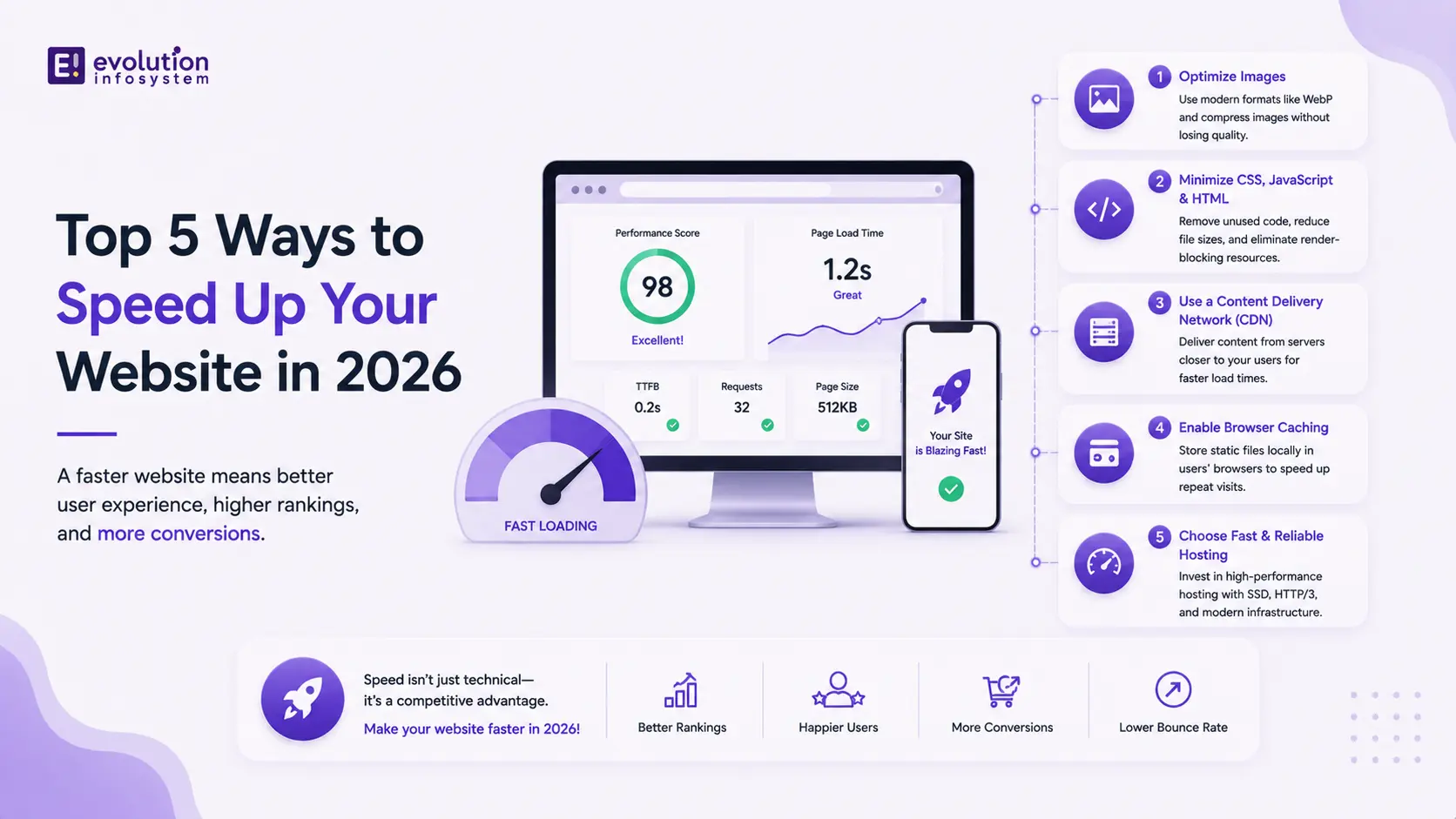
The good news: most websites are slow for the same handful of reasons. Fix the right ones and the impact is immediate and measurable. Here are the 5 most effective ways to speed up your website in 2026.
1. Get Your Core Web Vitals Right
Core Web Vitals are Google’s framework for measuring real-world user experience – and in 2026, they are a direct ranking factor. There are three metrics that matter:
→ LCP (Largest Contentful Paint) measures how long it takes for the main content to appear on screen. Target: under 2.5 seconds. The most common culprit is a large hero image or a slow server response time. Fix it by serving images in modern formats (WebP or AVIF), preloading your LCP element, and ensuring your hosting infrastructure responds fast.
→ CLS (Cumulative Layout Shift) measures visual stability – how much the page jumps around as it loads. A score above 0.1 means elements are shifting unexpectedly, which breaks trust instantly. Fix it by defining explicit width and height attributes on all images and embeds, and avoiding dynamically injected content above existing page elements.
→ INP (Interaction to Next Paint) replaced FID as Google’s responsiveness metric and is the hardest of the three to optimize. It measures how quickly your page responds to user interactions. Target: under 200ms. Fix it by deferring non-critical JavaScript, reducing main thread blocking, and breaking up long tasks into smaller chunks.
Run your site through Google PageSpeed Insights and Chrome UX Report to see your real-world scores – not just lab scores. They’re different, and Google uses the real-world data.
2. Optimize Every Image on the Page
Images are the single largest contributor to page weight on most websites. And most websites are serving images incorrectly.
The 2026 standard for image optimization:
→ Format.
Serve WebP for broad compatibility and AVIF for maximum compression. AVIF delivers 50% smaller files than JPEG at equivalent visual quality. Both formats are now supported across all major browsers. If you’re still serving PNGs and JPEGs across the board, this single change will have an immediate impact on load time.
→ Lazy loading.
Images below the fold don’t need to load until the user scrolls to them. Add <loading=”lazy”> to all non-critical images. This reduces initial page weight significantly without any visible impact on user experience.
→ Responsive images.
Serve the right-sized image for the right screen. A 2400px hero image served to a mobile device is loading 4–5x more data than necessary. Use srcset to define multiple image sizes and let the browser choose the appropriate one.
→ Compression.
Even in modern formats, aggressive compression before upload matters. Tools like Squoosh, Sharp, and Cloudinary handle this in development pipelines or automatically via CDN.
If your site is image-heavy – e-commerce, portfolio, media – image optimization alone can cut your page weight by 40–60%.
3. Use a CDN (Content Delivery Network)
When a user in Singapore loads your website hosted on a server in London, every asset – HTML, CSS, JavaScript, images – travels halfway around the world. That distance adds latency. On a standard broadband connection, a single round-trip from Singapore to London takes 150–200ms. Multiply that by every resource on your page, and you have a slow website – not because your code is bad, but because physics.
A CDN solves this by caching your content across a global network of edge servers. When your Singapore user loads your site, they’re served from the nearest edge node – not your origin server. Latency drops from 150ms+ to under 10ms for cached assets.
In 2026, CDN usage is not optional for any serious website. Cloudflare, AWS CloudFront, and Fastly are the leading options. Cloudflare, in particular, offers a free tier that covers most small and medium-sized sites, making this one of the highest-ROI performance improvements available at any budget level.
Beyond raw speed, CDNs also absorb traffic spikes, provide DDoS protection, and handle SSL termination – all of which reduce load on your origin server.
4. Implement Caching Properly
Every time a user visits your website without caching in place, your server builds the page from scratch – querying the database, executing logic, assembling HTML, and sending it all down the wire. For a low-traffic site, this is manageable. As traffic grows, it becomes a performance and reliability problem.
Caching stores the output of that work so it can be served instantly on the next request. There are three layers worth implementing:
→ Browser caching.
Set Cache-Control headers on static assets – CSS, JavaScript, fonts, images – so returning visitors load them from their local cache instead of re-downloading. Assets that rarely change (fonts, logos) should have long cache lifetimes (1 year). Assets that change frequently should have short ones or use cache-busting via content hashes in filenames.
→ Server-side caching.
For dynamic sites (WordPress, custom CMS, e-commerce), caching the full HTML output of pages means the server doesn’t regenerate them on every request. Tools like WP Rocket (WordPress), Nginx FastCGI cache, and Varnish handle this at the server level.
→ Application-level caching.
For database-heavy applications, use Redis or Memcached to cache the results of expensive database queries. If 1,000 users per minute are requesting the same product catalog data, that query should run once and serve from cache – not 1,000 times.
Implemented correctly, caching is one of the most impactful performance improvements available – capable of reducing server response time from hundreds of milliseconds to single-digit milliseconds for cached content.
5. Audit and Reduce JavaScript Bloat
JavaScript is the most expensive resource a browser processes. Unlike images, which are just downloaded and displayed, JavaScript is downloaded, parsed, compiled, and executed – all of which blocks rendering and delays interactivity.
In 2026, JavaScript bloat is epidemic. The average webpage ships over 500KB of JavaScript. Much of it is never executed on any given page load.
→ The audit.
Run your site through WebPageTest or Chrome DevTools Coverage tab to see which JavaScript is actually used on page load vs. loaded but never executed. Most sites have significant unused JavaScript – third-party scripts, entire libraries loaded for one feature, analytics tags that fire on every page.
→ Code splitting.
Rather than loading your entire JavaScript bundle upfront, split it into chunks and load only what’s needed for the current page. Next.js and modern bundlers (Vite, webpack) do this automatically when configured correctly.
→ Defer non-critical scripts.
Add <defer> or <async> attributes to scripts that don’t need to run before the page renders. Third-party scripts – chat widgets, analytics, ad tags – should never block your initial render.
→ Replace heavy libraries.
If you’re using a 70KB library for one utility function, replace it with a lightweight alternative or write the function yourself. Moment.js (67KB) replaced by Day.js (2KB). Lodash replaced by targeted native JavaScript methods. These swaps compound across a codebase.
The target: reduce your JavaScript payload to the minimum required for the above-the-fold experience, load everything else after the page is interactive.
The Compounding Effect
These five optimizations work independently – but they compound when implemented together. A site that implements all five correctly will typically see:
- 40–70% reduction in total page weight
- 50%+ improvement in LCP
- Measurable improvement in search rankings within 60–90 days
- Directly attributable conversion rate lift as load time drops below the 2-second threshold
Website performance in 2026 is not a technical nicety. It is a business variable – one that directly affects how many people find you, how many stay, and how many convert.
If your site is underperforming and you’re not sure where the bottleneck is, the answer is almost always in these five areas. Start with a PageSpeed Insights audit, identify your worst-performing metric, and work through the list.
Frequently Asked Questions (FAQs)
What is the ideal page load time in 2026?
Under 2.5 seconds for LCP (Largest Contentful Paint) on mobile is Google’s threshold for “good.” Under 1.5 seconds puts you in the top tier. The faster you are below 2.5 seconds, the better – but the biggest conversion gains come from moving from above 3 seconds to below 2.5 seconds.
Does website speed affect SEO rankings?
Yes, directly. Google uses Core Web Vitals – LCP, CLS, and INP – as ranking signals. Sites with “good” scores across all three have a measurable advantage over slower competitors in search results, all else being equal.
What is the fastest way to improve website speed without a full rebuild?
Image optimization and CDN implementation are the two highest-impact, lowest-effort changes available. Between them, they address the two most common causes of slow load times – oversized assets and server distance – without requiring code changes.
How do I check my website’s current speed?
Google PageSpeed Insights (pagespeed.web.dev) gives you both lab scores and real-world Core Web Vitals data for your URL. WebPageTest.org provides a more detailed waterfall analysis. GTmetrix is useful for identifying specific assets contributing to load time.
At Evolution Infosystem, we conduct full performance audits and implement end-to-end speed optimizations for existing websites – from Core Web Vitals fixes to CDN configuration, caching architecture, and JavaScript refactoring. If your site is slow and you want a clear diagnosis and a fix, let’s talk.