Web App vs Website: What's the Difference?
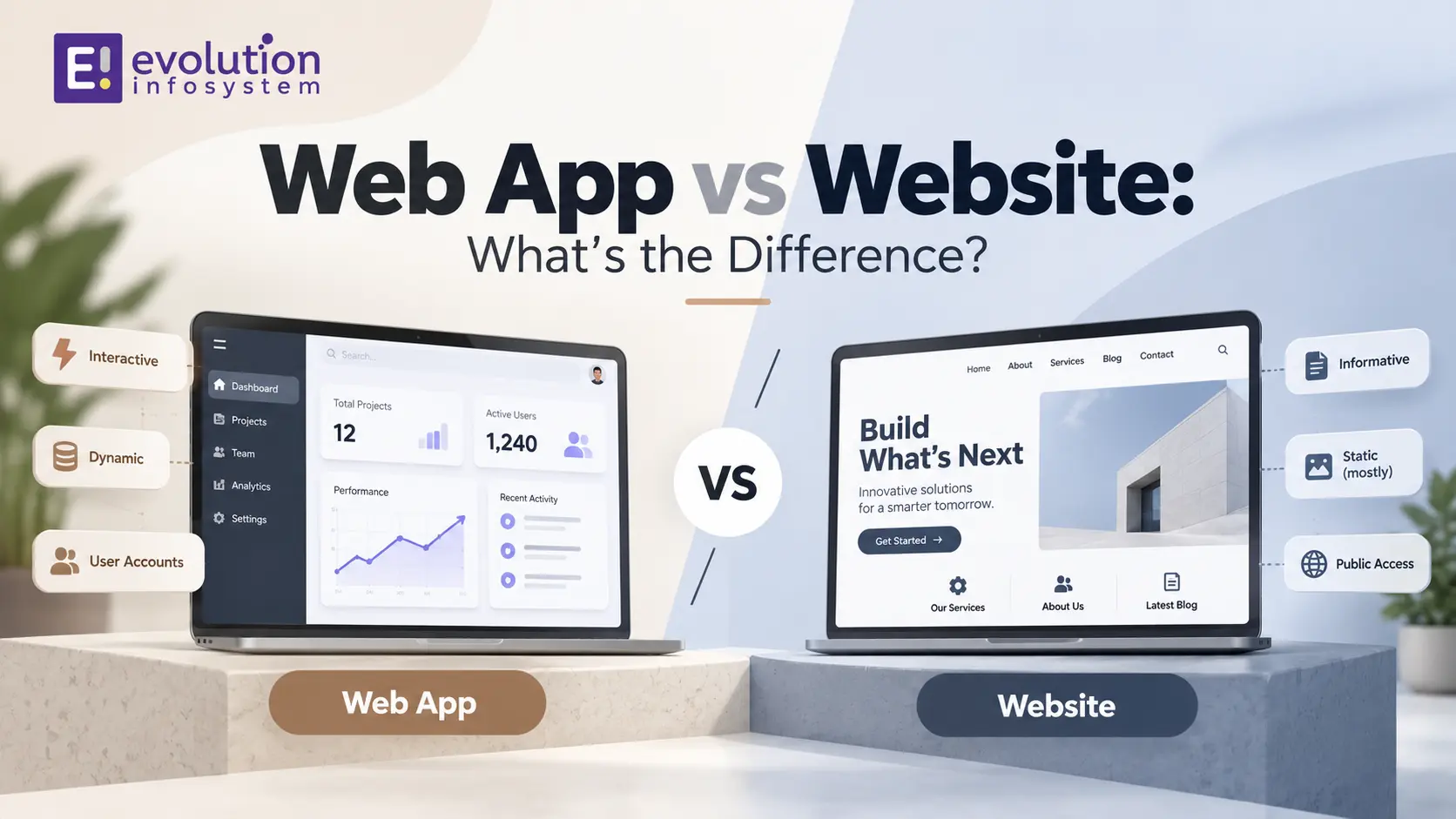
You call a developer, describe what you want, and they ask: “Do you need a website or a web app?” If you have ever paused before answering that question, this guide is for you. The web app vs website difference sounds like semantics until it starts shaping your budget, your timeline, and what your product can actually do.
Most explanations of this topic stop at “a website informs, a web app interacts” and leave you no closer to knowing which one your project actually needs. This guide goes further, walking through the technical, cost, and strategic sides of the web app vs website difference so you can make a confident, defensible decision.
We wrote this from an agency perspective. Evolution builds both websites and web applications for clients regularly, and this breakdown of the web app vs website difference reflects what we actually see trip up business owners at the scoping stage, not just textbook definitions. By the end, you should be able to explain exactly what you need in one clear sentence, rather than a vague mix of both terms.
Who This Guide Is For
This guide is for founders scoping a new digital product, marketers trying to brief a development team accurately, and business owners who keep hearing both terms used interchangeably and want real clarity. If you already understand the basics, skip ahead to the decision framework for the practical answer. If you are starting from zero, read straight through – each section builds toward a decision you can defend confidently, not just repeat back.
Quick Answer: The Short Version
If you need the short version of the web app vs website difference: a website primarily delivers information – think a company homepage, a blog, or a portfolio – and visitors mostly read rather than interact deeply.
A web app is interactive software that runs in a browser, letting users log in, manage their own data, and complete tasks – think Gmail, a project management tool, or an online banking dashboard. The rest of this guide unpacks exactly why that distinction matters for your specific project.
What Is a Website?
A website is a collection of linked pages, typically built with HTML, CSS, and light JavaScript, hosted on a server and accessed by typing a URL into a browser. Its primary job is to present information: who you are, what you offer, and how to reach you.
Most websites are largely one-directional – content flows from the business to the visitor. Even a website with a contact form or a blog comment section is still fundamentally about presenting information rather than letting users perform complex, ongoing tasks. This “inform first” purpose is central to the web app vs website difference.
What Is a Web Application?
A web application is interactive software delivered through a browser. Instead of just displaying content, it lets users log in, create and manage their own data, and complete specific tasks, often with a personalized experience unique to each user.
Gmail, Trello, and online banking portals are all web apps: each user sees different data, takes different actions, and gets different results based on what they do inside the app. This two-way, task-driven interaction is the defining half of the web app vs website difference.
The Web App vs Website Difference: Core Distinctions
Before going deep into each factor, here is a quick summary of the web app vs website difference across the dimensions that matter most for a real project decision. Skim this list first, then use the sections below to understand why each row matters for your specific budget and timeline.
- Purpose: informing (website) versus enabling tasks (web app)
- Interactivity: mostly passive reading versus active, personalized use
- User accounts: often unnecessary versus typically required
- Technology: simpler front-end stack versus frameworks plus API-driven backend
- Cost: generally lower to build and maintain versus generally higher
- Search visibility: usually a priority versus often secondary to functionality
- Update frequency: relatively static versus continuously evolving with user data
Each of these points deserves its own explanation, since a surface-level web app vs website difference summary can lead to the wrong build decision if you stop reading here.
Purpose and Interactivity
The clearest way to understand the web app vs website difference is through the lens of what the visitor actually does. On a website, the visitor reads, browses, and maybe fills out a simple form. The content is largely the same for every visitor.
On a web app, the user logs in, and what they see and can do depends entirely on their own account, data, and actions. A project management tool shows one user their own tasks and another user theirs – the same URL produces a completely different, personalized experience for each person. This gap between shared content and personalized state is arguably the single most reliable test for identifying which side of the web app vs website difference a given product falls on.
Technology and Architecture
Websites typically run on simpler technology: HTML, CSS, and light JavaScript, often powered by a CMS like WordPress. The backend, if there is one at all, tends to be minimal, mostly handling content storage rather than complex logic.
Web apps depend on frontend frameworks like React, Vue, or Angular, paired with an API-driven backend built on Node.js, Laravel, or similar. They need databases, authentication systems, and session management to track what each individual user is doing. This architectural gap is a major, practical part of the web app vs website difference that directly affects your development timeline, your hiring needs, and how quickly a small bug can turn into a serious production issue.
User Accounts and Personalization
Most websites do not require a login at all – visitors browse freely without creating an account. When a website does have accounts, they are usually simple: saving preferences or order history, not managing complex, ongoing data.
Web apps are built around accounts by design. The entire value of the product often depends on a user’s personal data, settings, and history persisting between visits. This reliance on authenticated, personalized state is one of the sharpest lines in the web app vs website difference.
Development Cost and Timeline
Cost is where the web app vs website difference becomes very real for a business owner’s budget. A simple, responsive website can often be built in days to a few weeks using templates or a CMS, with modest ongoing maintenance costs.
A web app requires custom backend logic, database design, authentication, and typically a longer testing phase, which stretches both the timeline and the budget considerably compared to a typical website build. Ongoing maintenance costs more too, since a web app has far more moving technical parts that can break as it evolves.
SEO and Discoverability
Websites are generally built with search visibility as a central goal – every page is designed to be indexed and ranked, driving organic traffic that brings in new visitors who have never heard of the business before.
Web apps often prioritize functionality over search visibility, especially content that sits behind a login and is invisible to search engines entirely. This does not mean web apps ignore SEO completely – a marketing site often sits in front of the app itself – but it is a secondary concern rather than the primary design goal, another meaningful piece of the web app vs website difference.
Maintenance and Update Frequency
A website, once built, often needs relatively light ongoing maintenance: occasional content updates, security patches, and periodic design refreshes. The core structure can remain stable for years without major rework.
A web app tends to evolve continuously – new features, bug fixes, performance improvements, and security patches happen far more frequently, since users depend on the app actively working correctly with their data every time they log in. This ongoing development cadence is a real, recurring cost difference worth weighing in any web app vs website difference decision.
Performance Considerations
Websites, especially simple ones, tend to load quickly since there is less client-side logic to execute and often less data to fetch per page view. A well-built website can achieve near-instant load times with modern hosting and caching.
Web apps handle more processing on both the client and server side – rendering dynamic interfaces, fetching personalized data, and managing application state. This does not mean web apps are automatically slower, but it does mean performance requires more deliberate engineering attention, another practical layer to the web app vs website difference.
Security Considerations
A basic website has a relatively small attack surface: mainly the CMS, its plugins, and the hosting environment. Keeping it secure usually means routine updates and reasonable hosting hygiene.
A web app carries meaningfully higher security stakes, since it typically stores sensitive user data, handles authentication, and manages sessions – all common attack targets. This elevated security responsibility is a serious, often underweighted part of the web app vs website difference that affects both development practices and ongoing operational cost.
Hosting and Infrastructure Requirements
Websites can often run comfortably on modest shared hosting or simple managed platforms, since the resource demands are relatively low and predictable.
Web apps generally need more robust infrastructure: dedicated servers or cloud hosting, a proper database, and often a CDN and load balancing as usage grows. Infrastructure cost scales with active users in a web app in a way that rarely happens with a typical website, another concrete dimension of the web app vs website difference worth budgeting for early.
Team and Skill Requirements
A website can often be built and maintained by a single web designer or a small team using a CMS, without deep backend engineering expertise required for most day-to-day changes.
A web app typically needs a fuller team: frontend developers comfortable with a modern framework, backend developers handling APIs and databases, and often a QA specialist given the higher stakes of bugs affecting real user data. This staffing difference is a practical planning consideration tied directly to the web app vs website difference that many first-time founders underestimate.
Real-World Examples of Each
Concrete examples make the web app vs website difference easier to internalize than definitions alone.
Website Examples
- A company’s marketing homepage and “About Us” pages
- A personal portfolio or blog
- A restaurant’s menu and location page
- A news publication’s article archive
Web App Examples
- Gmail or any browser-based email client
- Project management tools like Trello or Asana
- Online banking dashboards
- Ride-booking platforms and food delivery apps accessed via browser
Notice how nearly every example on the web app side involves a login and personalized, ongoing data – that pattern is the clearest practical signal in the web app vs website difference.
The Blurry Middle Ground
Modern digital products rarely fall neatly into one category, which is part of why the web app vs website difference confuses so many people. E-commerce platforms are a good example: the product catalog behaves like a website, while the cart, checkout, and account dashboard behave like a web app.
Progressive web apps blur this line further, since a PWA can look and load like a fast, simple website while offering installability, offline access, and push notifications typically associated with apps. In practice, many successful digital products are hybrids that combine both approaches deliberately rather than picking one extreme.
Content publishers illustrate this blend too: a news site’s articles are pure website behavior, but a personalized reading list, comment history, or subscription management dashboard tucked into the same domain crosses into web app territory. Recognizing which parts of your product fall on which side of the web app vs website difference, rather than forcing the whole product into one label, usually leads to better architectural decisions.
When to Build a Website
Based on the parameters above, this web app vs website difference guide points toward a website when the following apply to your project.
- Your primary goal is marketing, brand presence, or sharing information
- You want strong organic search visibility as a core acquisition channel
- Your budget and timeline favor a faster, lower-cost build
- Users do not need to log in or manage ongoing personal data
- Content updates are occasional rather than continuous
When to Build a Web App
On the other side of this web app vs website difference, a web app is the stronger choice in these situations.
- Users need accounts to manage their own, ongoing data
- Your product’s value depends on interactivity, not just information
- You need real-time updates, collaboration, or personalized dashboards
- The product is closer to software than a marketing presence
- You are building a SaaS product, marketplace, or internal business tool
Offline Capability and Connectivity
A standard website typically requires an active internet connection for every page load, with little to no functionality available offline unless specific caching has been added, such as through a progressive web app layer.
Web apps vary more here – some depend entirely on a live connection to the server, while others, particularly progressive web apps, cache data locally and allow limited offline use. This variability adds nuance to the web app vs website difference that a simple binary comparison tends to flatten.
Which Industries Lean Toward Which Approach
Understanding typical industry patterns adds useful context to the web app vs website difference, even though every business’s specific needs should override a generic pattern.
Website-Leaning Industries
Local service businesses, restaurants, law firms, and content publishers typically lean toward websites, since their core goal is informing potential customers and ranking in local or organic search rather than managing ongoing user accounts.
Web App-Leaning Industries
SaaS companies, fintech products, marketplaces, and internal enterprise tools typically lean toward web apps, since their value proposition depends entirely on interactive, personalized functionality rather than static information.
Testing and Quality Assurance
Testing a website usually focuses on visual consistency across devices and browsers, along with basic form functionality and page load speed – a relatively contained testing surface.
Testing a web app is considerably more involved: user flows, data integrity, authentication edge cases, and how the application behaves under concurrent use by many different accounts simultaneously. This expanded testing scope is a real, ongoing cost difference tied to the web app vs website difference that affects both launch timelines and release cadence afterward.
Common Mistakes When Choosing Between the Two
Mistake 1: Briefing a Developer With the Wrong Term
Asking for a “website” when you actually need account logins, dashboards, and ongoing user data leads to scope confusion and rework once the real requirements surface mid-project.
Mistake 2: Overbuilding a Simple Marketing Site
Some businesses commission a full web app’s worth of custom functionality for what is fundamentally a marketing presence, inflating cost and timeline without a matching benefit.
Mistake 3: Underestimating Ongoing Web App Maintenance
Budgeting only for the initial build and ignoring the higher, ongoing maintenance cost of a web app is one of the more common planning mistakes tied to the web app vs website difference.
Mistake 4: Assuming SEO Does Not Matter for a Web App
Even web app products usually need a discoverable marketing layer in front of the app itself, since organic search remains a major acquisition channel most products cannot afford to ignore entirely.
Mistake 5: Skipping the Question Entirely
Some teams start building without ever explicitly deciding which side of the web app vs website difference their project falls on, leading to an inconsistent architecture that mixes both approaches without a clear reason for either choice.
A Decision Framework You Can Actually Use
To make this web app vs website difference actionable, run your project through these four questions in order.
- Do users need to log in and manage their own ongoing data? If yes, lean web app.
- Is your primary goal marketing and organic search visibility? If yes, lean website.
- Does the product’s core value come from interactivity rather than information? If yes, lean web app.
- Is your budget and timeline tight for an initial launch? If yes, lean website, and revisit a web app once you validate demand.
Most real products land somewhere in between, which is exactly why the blurry middle ground covered earlier matters as much as the clean web app vs website difference definitions at the start of this guide.
A Quick Example: Choosing the Right Build for a Local Service Business
Picture a Rajkot-based furniture business wanting an online presence. Following this web app vs website difference framework, their core need – showcasing products, sharing location and contact details, ranking in local search – points clearly toward a website, not a web app.
The business launches a straightforward website: a homepage, a product catalog, a location page, and a contact form. Development takes a few weeks, hosting costs stay modest, and the site is fully indexed by search engines within the first month, driving organic traffic from local buyers researching furniture options.
If that same business later adds an online quote request system where customers log in to track custom orders, that specific feature crosses into web app territory, while the rest of the site remains a straightforward, marketing-focused website – the hybrid pattern described earlier in this web app vs website difference guide. The team scopes that addition as its own project, with its own budget and timeline, rather than assuming it fits inside the original website’s scope.
Total Cost of Ownership: A Realistic Comparison
Comparing only the initial build cost understates the real web app vs website difference in total spend over time. A complete comparison needs to include hosting, maintenance, and how each grows with your business.
- Initial build: websites are typically faster and cheaper to launch; web apps require more upfront engineering investment
- Hosting: websites often run on modest shared or managed hosting; web apps typically need more robust, scalable infrastructure
- Maintenance: website maintenance is usually periodic; web app maintenance is usually continuous, tracking bugs and evolving user needs
- Team: a website can often be maintained by one generalist; a web app usually needs a small, ongoing development team
- Growth cost: website costs stay relatively flat as traffic grows; web app infrastructure costs scale more directly with active users
None of this means a web app is a worse investment – for the right product, the ongoing cost is justified by the value interactivity creates. But going in with realistic total cost expectations is essential to making a sound decision in any web app vs website difference conversation, rather than discovering the true cost gap six months after launch when the maintenance invoices start arriving.
Frequently Asked Questions
Is a web app more expensive than a website?
Generally yes. A web app requires custom backend logic, databases, and authentication, which adds development and ongoing maintenance cost compared to a typical website build.
Can a website become a web app later?
Yes, many products start as a simple website and add web app functionality – like user accounts or a dashboard – once there is validated demand for that added complexity.
Is Facebook a website or a web app?
Facebook functions primarily as a web app: users log in, manage personal data, and interact with dynamic, personalized content, which is the core behavior that defines the web app side of the web app vs website difference.
Do web apps need SEO?
Often yes, at least for the marketing pages in front of the app. Content behind a login is generally invisible to search engines, so most web app products still maintain a discoverable public-facing site.
What is a progressive web app in relation to this comparison?
A progressive web app sits in the blurry middle ground: it loads like a website but can offer app-like features such as offline access and installability, making it a hybrid rather than a clean example of either side of the web app vs website difference.
How do I know if my project needs a database?
If your project needs to store and retrieve data unique to each user – accounts, preferences, ongoing records – you need a database, which is a strong signal you are building a web app rather than a website.
Can I start with a website and add web app features later?
Yes, and it is often the smarter path for early-stage businesses. Launching a website first validates demand at lower cost, and web app functionality can be layered in once there is a proven need for interactivity.
Matching the Decision to Your Growth Stage
Early-stage businesses validating an idea rarely benefit from jumping straight to a full web app, since the cost and timeline of a web app work against fast market testing. A simple website, sometimes paired with a waitlist or a basic form, is usually the faster way to test demand.
Once demand is validated and the product genuinely needs interactivity – accounts, ongoing data, personalized workflows – that is the natural point to invest in a web app. Matching the web app vs website difference decision to your actual growth stage, rather than to what feels impressive, tends to produce a much better return on the development budget.
Key Takeaways
- A website informs; a web app enables interactive, personalized tasks
- Web apps require more complex technology, cost more, and take longer to build
- Websites usually prioritize SEO; web apps often prioritize functionality behind a login
- Many products are hybrids, combining a website’s marketing strength with a web app’s interactivity
- Briefing a development team with the right term from the start avoids costly scope confusion later
Every point on this list reflects a real planning mistake businesses make when they treat the web app vs website difference as unimportant semantics rather than a decision that shapes budget and technology from day one.
How Web Apps and Websites Relate to Native Mobile Apps
A third term often gets mixed into the web app vs website difference conversation: native mobile apps, downloaded from an app store and installed directly on a device. Understanding where this fits helps clarify the comparison rather than muddy it further.
Both websites and web apps run inside a browser and require no app store download, while native apps are built specifically for iOS or Android and installed directly. A progressive web app narrows this gap by offering installability and offline access from a web app, without the app store step native apps require. This distinction matters when scoping a project, since “app” alone is ambiguous – clarifying whether you mean a web app or a native app avoids the same kind of confusion this entire web app vs website difference guide addresses.
Browser Compatibility Considerations
Websites generally need to render correctly and consistently across a wide range of browsers and devices, since visitors arrive from search engines, social media, and direct links with no control over what browser they use.
Web apps often have more predictable usage patterns – a known user base on typically modern browsers – but the stakes of a compatibility bug are higher, since a broken checkout flow or a failed login affects a paying user’s ability to complete a task, not just their reading experience. This risk profile is another subtle layer of the web app vs website difference worth factoring into your QA planning.
Analytics and Measuring Success
Website analytics typically center on traffic, bounce rate, time on page, and conversion of visitors into leads or customers – metrics that measure how well the site informs and persuades.
Web app analytics center on engagement, feature adoption, retention, and task completion rates – metrics that measure whether the product is actually helping users accomplish what they came to do. Choosing the right metrics to track from day one depends heavily on which side of the web app vs website difference your product sits on, since applying website-style traffic metrics to a web app can miss the signals that actually indicate product health.
Legal and Compliance Considerations
Websites typically face lighter compliance obligations – a privacy policy, cookie consent, and basic accessibility standards usually cover most requirements for an informational site.
Web apps handling personal data, payments, or sensitive information often face heavier compliance obligations: data protection regulations, secure storage requirements, and industry-specific standards depending on the sector. This compliance gap is a real, sometimes costly dimension of the web app vs website difference that is easy to overlook during early planning but expensive to retrofit later.
Why the Right Conversation With Your Developer Matters
A recurring theme throughout this web app vs website difference guide is that the terminology itself is not the point – clearly communicating your actual requirements is. A developer who understands you need ongoing user accounts and personalized dashboards will scope, price, and architect the project very differently than one who thinks you want a marketing brochure.
When briefing a development partner, describe what users will actually do on the product, rather than which label to use. A good partner will translate that into the right side of the web app vs website difference and recommend the appropriate technology, rather than making you guess the correct terminology upfront.
Final Thoughts
There is no universally “better” choice in the web app vs website difference – only the right fit for your goals, budget, and timeline. Marketing-first, information-driven projects favor a website; interactive, task-driven products favor a web app, and many businesses eventually need both working together as their digital presence matures.
Evolution’s web development and custom web application development teams build both websites and web apps, and we are happy to review your specific goals and recommend the right starting point rather than defaulting to whichever is easier to sell. Whether you land on a simple marketing site, a full custom application, or a hybrid of the two, the right answer starts with your actual requirements, not the label.