10 Best Practices to Secure Your Web Application
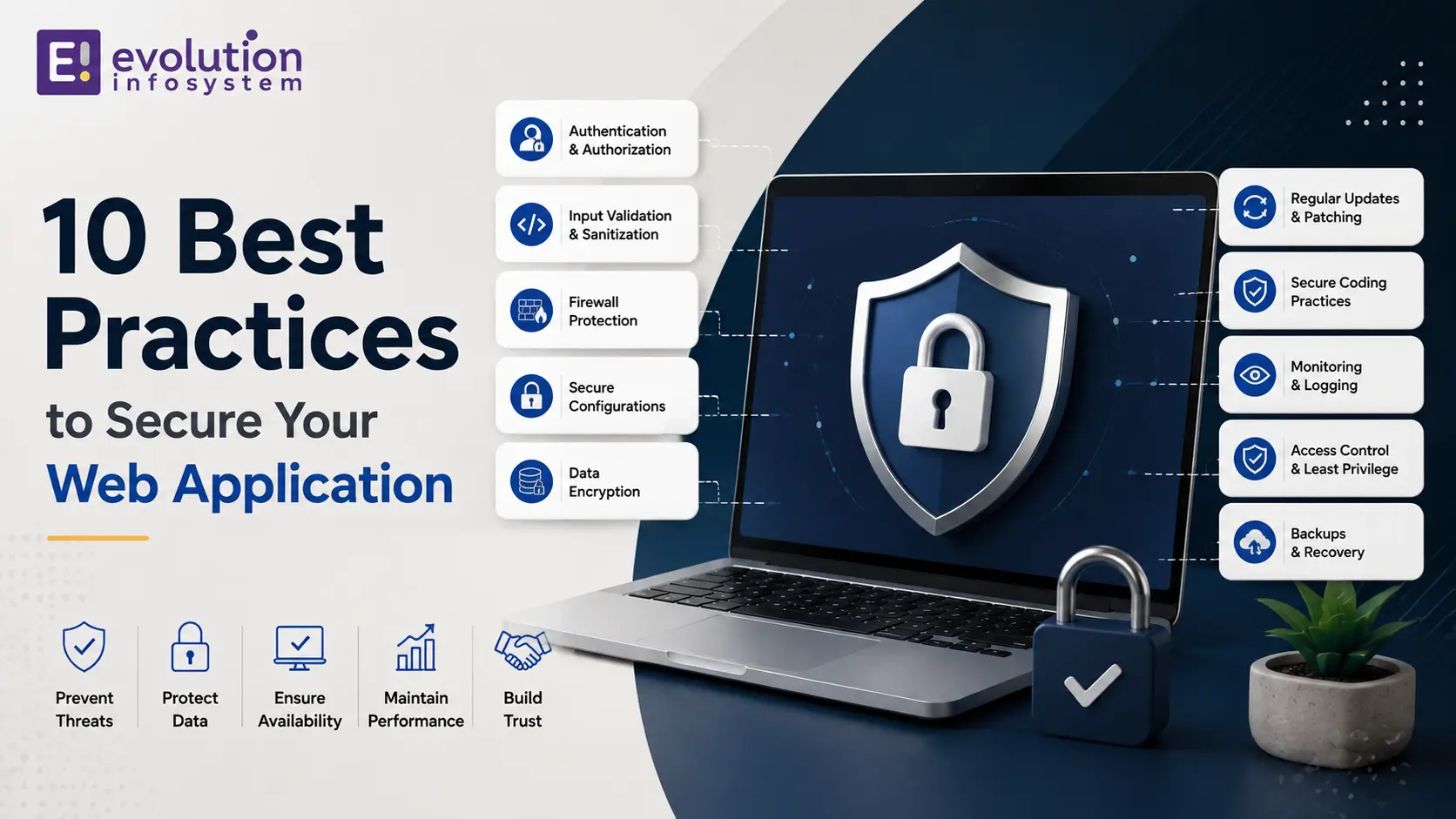
The average data breach now costs organizations close to five million dollars, and most breaches trace back to a handful of well-known, preventable mistakes. If you are looking up how to secure a web application, you are already ahead of a lot of teams that treat security as an afterthought instead of a design requirement.
This guide walks through ten prioritized, practical best practices for how to secure a web application in 2026, based on the current OWASP Top 10 risks and how modern applications actually get attacked – through APIs, misconfigured cloud infrastructure, and increasingly, AI-generated code shipped faster than it gets reviewed.
We wrote this from an agency perspective. Evolution builds and secures web applications for client businesses, and this breakdown of how to secure a web application reflects what we actually see cause real incidents, not just a generic checklist copied from a compliance framework. By the end, you should have a concrete, prioritized plan rather than a vague sense that “security matters.”
Who This Guide Is For
This guide is for developers who want a practical checklist rather than a theoretical framework, engineering leads scoping a security review, and business owners who want to understand what “secure” actually requires before greenlighting a budget. If you already know the basics, skip ahead to the prioritized checklist. If you are starting fresh, read through all ten practices first, since several build on each other rather than functioning as fully independent items.
Why This Matters More in 2026
Understanding how to secure a web application has changed meaningfully in the last two years. Applications now run across hybrid cloud environments, expose dozens of APIs to partners and AI systems, and increasingly include AI-generated code shipped at a pace that outstrips manual review.
Attackers have adapted just as fast, using automation and AI to scan for vulnerabilities far quicker than traditional manual penetration testing ever could. This shift is exactly why the practices below emphasize continuous, automated defenses over one-time audits – a static, annual security review is no longer sufficient on its own.
The 10 Best Practices for How to Secure a Web Application
Here are the ten practices that matter most right now, ordered roughly by how much risk each one addresses relative to the effort required to implement it.
1. Validate and Sanitize Every Input
Injection attacks remain one of the most common ways applications get compromised, and the fix is foundational to how to secure a web application from the ground up: never trust user input, ever, regardless of where it comes from.
Implement strict input schemas, use parameterized queries instead of string-concatenated SQL, and validate on the server side even if client-side validation already exists, since client-side checks can always be bypassed by a motivated attacker. This principle extends beyond form fields too – file uploads, URL parameters, and API request bodies all need the same rigorous validation applied consistently across every entry point into the application.
2. Enforce Strong Authentication and Session Management
Weak or broken authentication is a leading cause of account takeover, and getting it right is central to how to secure a web application that handles any kind of user account or sensitive data.
Require multi-factor authentication for privileged accounts, use secure, expiring session tokens rather than long-lived credentials, and invalidate sessions properly on logout and password change, not just on the client side. Rate-limit login attempts to slow brute-force attacks, and avoid revealing whether a failed login was due to an incorrect username or password, since that detail alone can help an attacker narrow down valid accounts.
3. Apply the Principle of Least Privilege
Every user, service account, and API key should have only the access it actually needs to function, nothing more. This is one of the simplest, highest-leverage steps in how to secure a web application, since it limits the blast radius of any single compromised credential.
Review access permissions regularly, remove unused accounts and stale API keys promptly, and avoid the common shortcut of granting broad admin access “just in case” during development. Automate this review where possible – a quarterly scheduled audit catches drift that easily gets deprioritized when the team is focused on shipping new features instead.
4. Encrypt Data in Transit and at Rest
Enforce HTTPS everywhere, with no exceptions for internal or “trusted” traffic, and encrypt sensitive data at rest in your database using strong, current encryption standards rather than outdated or custom algorithms.
This practice is non-negotiable in any serious approach to how to secure a web application, particularly for applications handling payment information, health data, or personal identifiable information subject to regulatory requirements. Manage encryption keys through a dedicated secrets manager rather than hardcoding them in application code or configuration files, since leaked keys are a surprisingly common cause of otherwise-preventable breaches.
5. Secure Your APIs Specifically
Modern applications expose significant functionality through APIs, which means API security deserves its own dedicated attention within any plan for how to secure a web application, not just an assumption that general web security covers it.
Implement API gateways with authentication, rate limiting, and request validation on every endpoint. Log and monitor API traffic actively, since APIs are increasingly the first thing attackers probe when targeting a modern application. Pay particular attention to broken object-level authorization – where one authenticated user can access another user’s data simply by changing an ID in the request – since this remains one of the most common and most exploited API-specific vulnerabilities.
6. Keep Dependencies and Software Updated
Outdated libraries and frameworks with known vulnerabilities remain one of the most exploited weaknesses in production applications, making dependency management a core part of how to secure a web application over its entire lifetime, not just at launch.
Use automated dependency scanning tools to flag known vulnerabilities, and establish a regular patching cadence rather than waiting for an incident to force an emergency update cycle. Pin dependency versions deliberately and review changelogs before major updates, rather than blindly auto-updating everything, since supply chain attacks sometimes hide in a compromised update itself.
7. Configure Security Headers and Browser Protections
HTTP security headers are a low-effort, high-impact layer that significantly reduces client-side vulnerability exposure, making them one of the easiest wins in how to secure a web application against cross-site scripting and clickjacking attacks.
Implement a Content Security Policy, set X-Frame-Options and X-Content-Type-Options headers, and use Subresource Integrity for any third-party scripts your application loads. These headers take minutes to configure but close off entire categories of client-side attack, making them one of the best effort-to-impact ratios on this entire list.
8. Build Security Testing Into Your Development Pipeline
Catching vulnerabilities before they reach production is far cheaper than fixing them after release, which is why embedding security testing into CI/CD is now considered essential to how to secure a web application properly, rather than treating security as a pre-release gate.
Run Static Application Security Testing on every commit to catch injection flaws and hardcoded credentials early, and run Dynamic Application Security Testing against staging environments to catch runtime issues static analysis alone cannot find. Treat a failed security scan the same way you would treat a failed unit test – as a blocker to merging, not an optional warning to review later.
9. Adopt Zero Trust Architecture
Zero trust eliminates the outdated assumption that anything inside your network is automatically safe. Every request, internal or external, gets verified before accessing resources – a principle increasingly central to how to secure a web application running across hybrid and multi-cloud environments.
Use context-aware access controls that factor in device security posture and behavioral signals, not just a username and password, especially for administrative and privileged access paths. This model also limits lateral movement – even if one component is compromised, zero trust architecture makes it significantly harder for an attacker to pivot into other parts of the system undetected.
10. Monitor, Log, and Have an Incident Response Plan
No system is perfectly secure, which is why the final piece of how to secure a web application is detection and response, not just prevention. Comprehensive logging and real-time monitoring let you catch an intrusion in hours instead of months.
Have a documented incident response plan before you need it, including who gets notified, how affected systems get isolated, and how you communicate with customers if their data is involved. Run a tabletop exercise with the team at least once, walking through a simulated incident, so the plan is tested before a real one forces you to improvise under pressure.
The OWASP Top 10: What These Practices Protect Against
The practices above map closely onto the OWASP Top 10, the industry-standard reference for the most critical web application security risks, updated periodically to reflect the current threat landscape.
- Broken access control – addressed by least privilege and zero trust practices
- Cryptographic failures – addressed by encryption in transit and at rest
- Injection – addressed by input validation and parameterized queries
- Insecure design – addressed by threat modeling during the design phase, not after launch
- Security misconfiguration – addressed by security headers and infrastructure hardening
- Vulnerable and outdated components – addressed by dependency scanning and patching
- Authentication failures – addressed by strong authentication and session management
- Software and data integrity failures – addressed by CI/CD security testing and supply chain checks
- Security logging and monitoring failures – addressed by comprehensive logging and incident response
- Server-side request forgery – addressed by API security and network segmentation
Treating this list as a checklist rather than abstract theory is what actually moves the needle on how to secure a web application in practice – each item maps to a specific, testable control rather than a vague policy statement.
Compliance and Regulatory Considerations
How to secure a web application often intersects directly with legal compliance requirements, particularly for applications handling payment data, health information, or personal data covered by regional privacy regulations.
PCI-DSS governs any application processing card payments, requiring specific controls around cardholder data storage and transmission. GDPR and similar regional privacy laws require documented data protection measures and breach notification procedures. Treating compliance requirements as a floor rather than a ceiling – building genuinely secure systems rather than just passing an audit checklist – tends to produce both better security outcomes and smoother audits.
Industry-specific frameworks add further requirements: healthcare applications face HIPAA-related obligations, and financial services applications often face additional regulatory scrutiny beyond PCI-DSS alone. Understanding which frameworks apply to your specific application is a necessary early step in any serious plan for how to secure a web application in a regulated industry. Compliance requirements also tend to shift over time as regulations evolve, which is another reason how to secure a web application should be treated as an ongoing responsibility rather than a project with a defined end date.
Cloud Infrastructure Security
Most modern web applications run on cloud infrastructure, which introduces its own category of risk distinct from application-code vulnerabilities. Misconfigured cloud storage, overly permissive security groups, and exposed management consoles are consistently among the most common causes of cloud-related breaches.
How to secure a web application running in the cloud requires treating infrastructure configuration with the same rigor as application code: version-controlled infrastructure-as-code, automated configuration scanning, and regular audits of who has access to cloud management consoles and at what privilege level.
Shared responsibility models also matter here – cloud providers secure the underlying infrastructure, but application-level configuration, access control, and data protection remain the customer’s responsibility. Misunderstanding this boundary is a surprisingly common source of security gaps, and it is one more reason how to secure a web application cannot be fully outsourced to your cloud provider by default – the provider secures the platform, but you still have to configure and use it correctly.
Penetration Testing: When and How Often
Automated scanning catches known vulnerability patterns, but manual penetration testing remains essential for finding the business logic flaws and creative attack chains that automated tools miss entirely.
Most organizations serious about how to secure a web application schedule penetration testing at least annually, and additionally after any major architectural change, new feature launch handling sensitive data, or significant infrastructure migration. Engaging an external team for this testing, rather than relying solely on internal staff, brings a fresh attacker perspective that internal teams familiar with the system can sometimes miss. Budget for remediation time immediately after the test too – findings that sit unaddressed for months provide little more value than not testing at all.
Treat penetration test findings as a prioritized action list, not just a compliance artifact to file away. The value of the exercise comes entirely from what gets fixed afterward, not from the report itself.
How AI Is Changing Web Application Security
AI-assisted coding tools have dramatically increased the speed and volume of code shipped, which changes the calculus for how to secure a web application in a very practical way: manual code review alone cannot keep pace with AI-generated code volume. Teams that once reviewed every line manually now need automated tooling to handle the first pass, reserving human review for the judgment calls automation cannot make.
At the same time, attackers use the same AI tools to scan for and exploit vulnerabilities faster than ever before. This two-sided shift is why automated security testing embedded directly in the development pipeline has moved from best practice to near-necessity for any team serious about how to secure a web application at modern development speed. Treat this as an arms race requiring continuous investment, not a problem solved once with a single tool purchase.
The Real Cost of Getting This Wrong
Beyond the average multi-million-dollar breach cost cited earlier, the full financial impact of poor security extends well past the immediate incident: regulatory fines, customer churn, and the engineering time diverted from product work to emergency remediation all compound the direct cost.
Reputational damage is harder to quantify but often longer-lasting than the direct financial hit. Customers who lose trust in how a company handles their data frequently do not return even after the technical issue is fixed, which is exactly why how to secure a web application should be framed internally as a business continuity issue, not purely a technical one.
Who Owns Security on Your Team
Smaller teams often default to security being “everyone’s responsibility,” which in practice frequently means nobody’s clear responsibility. As a team and application grow, designating clear ownership – even if it is a part-time responsibility layered onto an existing engineering role initially – improves follow-through significantly.
Larger organizations typically formalize this into a dedicated AppSec function, but the underlying principle scales down: someone needs to own tracking vulnerability reports, coordinating patches, and maintaining the incident response plan, rather than assuming these tasks will happen organically during normal development work.
Choosing Security Tools: What Actually Matters
The security tooling market is crowded, and picking tools before understanding your actual risk profile often leads to paying for capability you do not need while missing coverage you do.
- Static analysis tools should integrate directly into your existing CI/CD pipeline, not require a separate manual step developers skip under deadline pressure
- Dependency scanning should run automatically on every build, flagging known vulnerabilities before they reach production
- API security tools should cover authentication, rate limiting, and anomaly detection specifically, not just general web traffic monitoring
- Logging and monitoring tools should alert on genuinely suspicious activity, not flood the team with noise that gets ignored over time
The best tool for how to secure a web application is the one your team will actually use consistently. A sophisticated tool nobody configures properly provides less real protection than a simpler one that is fully adopted and actively monitored.
Third-Party Integrations and Vendor Risk
Most modern web applications integrate numerous third-party services – payment processors, analytics tools, authentication providers, and marketing platforms – each representing a potential entry point that falls partially outside your direct control.
How to secure a web application with a growing number of third-party integrations requires vetting each vendor’s own security posture, understanding exactly what data each integration can access, and limiting third-party script permissions to the minimum required for that integration to function. A compromised third-party script running on your domain can be just as damaging as a vulnerability in your own code.
Maintain an inventory of every third-party integration and the data it touches, and review this list periodically, since integrations added years ago for a feature that was later removed often remain connected and forgotten, quietly expanding your attack surface without anyone noticing.
Common Mistakes When Securing a Web Application
Mistake 1: Treating Security as a Pre-Launch Checklist
Bolting security on right before launch, rather than designing for it from the start, tends to produce shallow fixes that miss deeper architectural issues in how the application handles data and access. Real how to secure a web application work starts at the architecture and data-modeling stage, not in the final sprint before release.
Mistake 2: Relying Only on Automated Scanning Tools
Automated tools catch known, pattern-based vulnerabilities well but often miss business logic flaws, like broken authorization checks, that require human judgment to identify properly. A complete answer to how to secure a web application always combines automated tooling with periodic expert human review.
Mistake 3: Ignoring Third-Party and Supply Chain Risk
A secure application built on top of a compromised or outdated third-party library is not actually secure. Supply chain attacks have become one of the fastest-growing threat vectors, making dependency vetting essential, not optional.
Mistake 4: No Regular Access Review
Permissions granted during development or for a one-time project often never get revoked, quietly accumulating into a larger attack surface than anyone intended or is actively tracking.
Mistake 5: Underestimating Mobile and Client-Side Risk
Teams sometimes focus how to secure a web application entirely on the server side while leaving client-side JavaScript exposed to tampering, or mobile app API calls without the same authentication rigor applied to the web version.
Building a Security-First Development Culture
Tools and checklists only go so far – how to secure a web application over the long term depends as much on team culture as on technical controls. DevSecOps, where security is embedded between development and operations rather than bolted on afterward, is the organizational model behind most of the practices in this guide.
Train developers on common vulnerability patterns, not just tool output. Automated scanners flag syntactic issues well but rarely catch semantic security bugs like broken authorization logic – that pattern recognition comes from developers who understand both the codebase and how attackers think.
A Prioritized Checklist for Getting Started
If you are starting from scratch, do not try to implement everything in this guide simultaneously. Trying to do all ten practices at once is how security initiatives stall out before delivering any real protection. Here is a practical sequence for how to secure a web application without overwhelming a small team.
- Start with input validation and authentication – these address the most commonly exploited vulnerabilities
- Add HTTPS enforcement and security headers – both are quick wins with minimal engineering effort
- Set up dependency scanning in your CI/CD pipeline – this catches known vulnerabilities automatically going forward
- Implement least-privilege access control across all accounts and API keys
- Add logging and monitoring so you can detect issues instead of discovering them after the fact
- Layer in zero trust and advanced API security controls as the application and team mature
This order is deliberate – each step in this checklist for how to secure a web application addresses the highest-risk, most commonly exploited gaps first, so even a partial implementation meaningfully reduces your actual risk exposure rather than leaving the biggest holes unaddressed while polishing lower-priority items.
Why the Right Development Partner Matters
A recurring theme throughout this guide is that how to secure a web application depends less on any single tool and more on consistent, disciplined practice across the entire development lifecycle. A development partner who treats security as a checkbox at the end of a project will produce different results than one who builds it in from the first architectural decision.
When evaluating a development partner, ask specifically about their approach to input validation, their CI/CD security tooling, and how they handle dependency updates over the life of a project – not just whether they “do security.” A partner who can answer these questions concretely is far more likely to actually deliver on how to secure a web application in practice, not just in a sales pitch.
A Quick Example: Securing a Growing SaaS Product
Picture a Rajkot-based SaaS company that has grown from a handful of early customers to several hundred, without ever running a formal security review. Following the prioritized checklist above, the team starts with input validation and authentication hardening, since a quick internal audit reveals inconsistent server-side validation across older API endpoints.
Over the following month, they add automated dependency scanning to their CI/CD pipeline and implement proper session invalidation on password change, closing two gaps that had existed since the product’s earliest MVP version. They also schedule their first external penetration test, budgeting time afterward specifically to act on the findings rather than filing the report away.
This staged approach to how to secure a web application – highest risk first, incremental rollout, external validation once the basics are solid – mirrors what a full external security audit would likely have recommended from day one, at a fraction of the disruption to ongoing development.
Frequently Asked Questions
What is the most common web application vulnerability?
Broken access control and injection vulnerabilities consistently rank among the most common and most exploited issues in the OWASP Top 10, making input validation and permission checks foundational to how to secure a web application. Any team asking how to secure a web application should treat these two categories as the non-negotiable starting point, not an optional enhancement.
How often should a web application be security tested?
Security testing should happen continuously through automated tools in your CI/CD pipeline, supplemented by periodic manual penetration testing, typically at least annually or after major architectural changes. This combination is the most reliable answer to how to secure a web application against both known and novel attack patterns.
Do small businesses need the same security practices as enterprises?
The core principles of how to secure a web application apply regardless of company size, though the implementation scale differs. A small business may not need a dedicated security team, but input validation, encryption, and access control are non-negotiable at any size.
What is the difference between SAST and DAST?
SAST analyzes source code without running it, catching issues like hardcoded credentials early in development. DAST tests a running application by simulating real attacks, catching runtime issues SAST cannot detect from source code alone.
How much does it cost to secure a web application properly?
Cost varies with application complexity and existing technical debt, but building security in from the start is consistently cheaper than retrofitting it later, since fixing a vulnerability after a breach costs far more than preventing it during development.
What should I do first if I suspect my web application has been breached?
Isolate affected systems immediately, preserve logs for investigation, and follow your documented incident response plan. If you do not have one yet, treat creating one as an urgent priority alongside addressing the immediate incident.
Can AI tools help with securing a web application?
Yes, AI-assisted tools increasingly help with vulnerability scanning, log analysis, and anomaly detection, though they should supplement rather than replace human review, since automated tools still miss business logic flaws that require contextual understanding.
How do I know if my current security measures are enough?
A third-party security audit or penetration test is the most reliable way to answer this, since internal teams can develop blind spots around systems they built and know intimately. If you have never had an external review, that is itself a signal worth acting on.
Key Takeaways
- Most breaches exploit well-known, preventable vulnerabilities covered in the OWASP Top 10
- How to secure a web application in 2026 requires continuous, automated defenses, not one-time audits
- Input validation, strong authentication, and least-privilege access address the highest-risk vulnerabilities first
- API security deserves dedicated attention as applications increasingly rely on APIs for core functionality
- Security culture and developer training matter as much as tooling for long-term protection
- Start with the highest-risk, lowest-effort practices and layer in more advanced controls as your team matures
Every practice in this guide reflects a real, common cause of production incidents, not a theoretical checklist item included for the sake of completeness. Revisit this list periodically as your application grows, since the practices that were sufficient for a small MVP often need reinforcement once the application handles more users, more data, and more integrations.
Final Thoughts
Knowing how to secure a web application is not a one-time project – it is an ongoing discipline that needs to be built into how your team designs, ships, and monitors software every day. The ten practices covered here address the vulnerabilities responsible for the vast majority of real-world breaches, prioritized by risk and effort so you know where to start rather than feeling paralyzed by the scope of the topic.
If your development pipeline does not yet include automated security testing, our guide on what CI/CD pipelines are and why every development team needs one is a good next read, since a well-built CI/CD pipeline is the foundation most of these security practices depend on.
Evolution’s custom web application development and cloud DevOps teams build security into applications from the ground up, and we are happy to review your current application and recommend a prioritized plan for how to secure a web application rather than a generic, one-size-fits-all audit. Whether you are launching a new product or hardening an existing one that has grown past its original security assumptions, the right starting point is always a clear picture of your actual risk, not a checklist copied from somewhere else.