Shopify Checkout Extensions: The Complete 2026 Guide
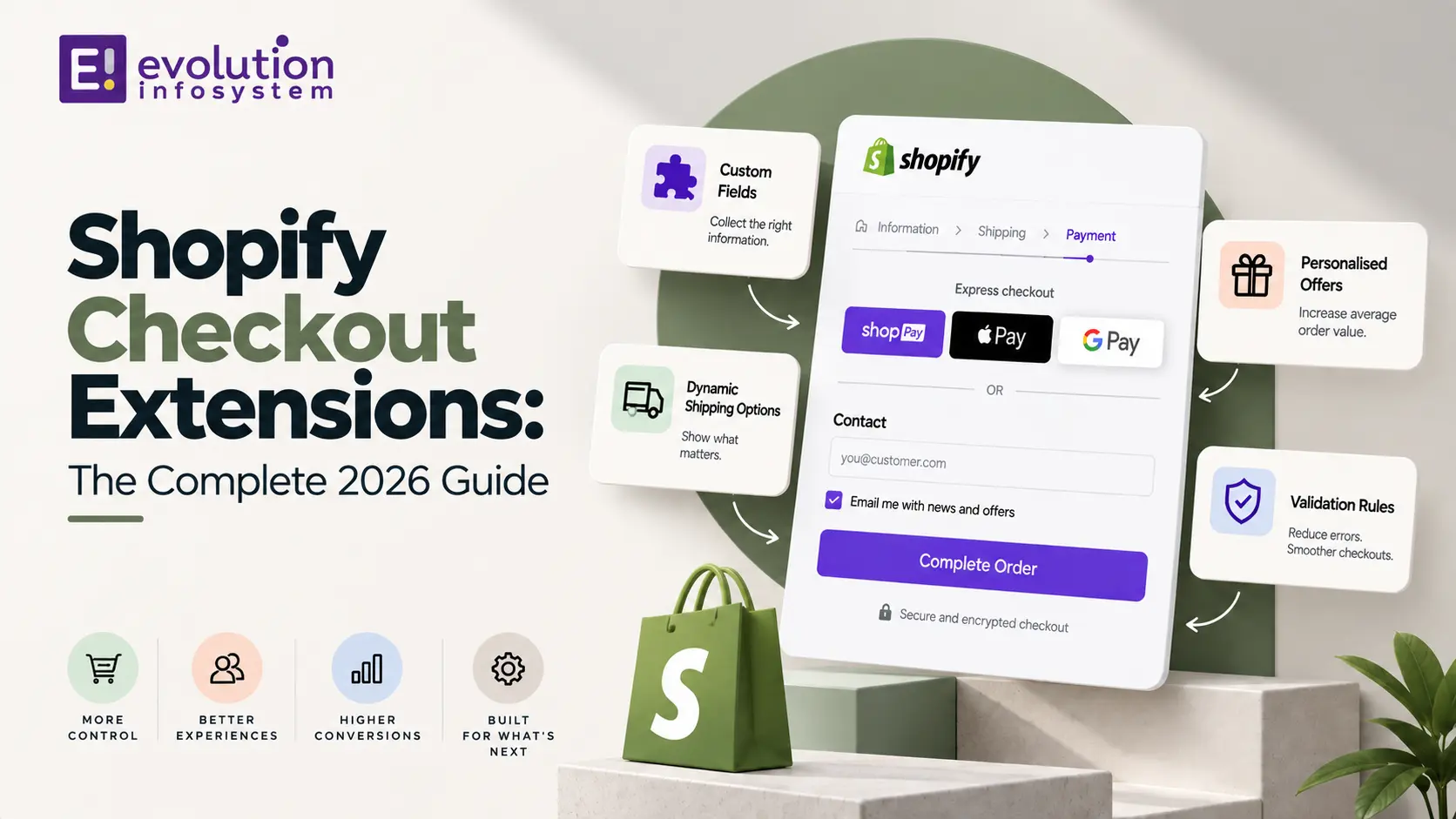
If you have tried to customize your Shopify checkout recently and discovered that editing checkout.liquid no longer works, you have run into the reason Shopify Checkout Extensions exist. This guide covers everything you need to know about Shopify Checkout Extensions, including what they actually are, how they differ from the old code-injection approach, what you can build with them, and the migration deadline every non-Plus merchant needs to know about before it arrives.
Shopify Checkout Extensions are now the only supported way to add custom fields, banners, upsells, and interactive elements to checkout, and understanding how they work has become essential knowledge for any merchant or developer working on a Shopify store today. This guide walks through the framework from first principles, so whether you are planning a new checkout customization or migrating an old one, you have a complete and current picture of how the system actually works.
What Are Shopify Checkout Extensions?
Shopify Checkout Extensions are structured, sandboxed pieces of custom interface built specifically to render inside Shopify’s checkout, Thank You, and Order Status pages at defined locations Shopify calls extension points. Instead of injecting raw HTML and JavaScript directly into the page the way checkout.liquid once allowed, Shopify Checkout Extensions are built using Shopify’s own web component library and rendered through a controlled, reviewed process.
This structural difference is the entire reason the framework exists in its current form. Free-form code injection meant customizations could break with every checkout update, created real security exposure, and made it difficult for Shopify to guarantee a fast, reliable checkout experience across every store. Shopify Checkout Extensions solve all three problems by constraining what a customization can do and where it can appear, in exchange for stability that survives platform updates automatically.
Why Shopify Built Checkout Extensions in the First Place
Understanding why Shopify Checkout Extensions replaced the old approach helps explain some of their more restrictive design choices. Checkout.liquid allowed essentially unreviewed code to run directly on checkout, Shopify’s highest-stakes, highest-intent page, where a single broken script could interrupt real transactions.
Shopify Checkout Extensions address this by running inside a sandboxed environment with a defined, limited set of capabilities, meaning a poorly built extension cannot break the surrounding checkout experience the way an unreviewed script once could. This approach also means Shopify itself reports measurable performance benefits, since Shopify Checkout Extensions render through the same optimized components across every store rather than each merchant’s own custom code competing for load time and rendering priority.
This design philosophy reflects a broader pattern in how Shopify has approached platform evolution in recent years: replacing open-ended, developer-controlled customization with structured, sandboxed extension points across multiple parts of the platform simultaneously, not just checkout. This shift is one piece of that larger pattern, alongside similar changes to how themes and backend logic are now built and deployed.
Key Terms to Know
A short glossary helps make sense of the more technical parts of this Shopify Checkout Extensions guide.
Extension point is a labeled, predefined location within checkout where a component can render, such as before the shipping section or on the Thank You page. Target API is the structured interface an extension uses to read checkout data, like buyer identity or cart contents, without accessing the page’s raw DOM. Web Pixels API is the related framework component handling tracking and analytics, replacing scripts that once lived in checkout.liquid.
Branding API governs visual styling through structured design tokens rather than free-form CSS. Sandbox describes the constrained, reviewed execution environment these extensions run in, which is what allows Shopify to guarantee they cannot break the surrounding checkout. Checkout Extensibility is the umbrella term for the entire framework, encompassing both the UI layer covered in this guide and the backend logic layer handled separately by Shopify Functions.
Comparing the Old and New Approaches
| checkout.liquid (Legacy) | Checkout UI Extensions (Current) | |
|---|---|---|
| Code model | Free-form HTML/JS injection | Structured components in defined slots |
| Review process | None | Sandboxed, Shopify-managed |
| Update safety | Broke on checkout updates | Upgrade-safe by design |
| Styling | Free CSS | Branding API design tokens |
| Availability | Was available on all plans | Core steps: Plus only; Thank You/Order Status: all plans |
| Status | Deprecated | Current standard |
This table is a useful quick reference for understanding exactly what changed and why merchants who once relied on checkout.liquid now need a different technical approach entirely when planning any Shopify Checkout Extensions project going forward.
Extension Points: Where Shopify Checkout Extensions Actually Appear
A core concept behind Shopify Checkout Extensions is the extension point, a labeled, predefined location within checkout where a component can render. Rather than targeting an arbitrary spot in the page’s structure, a developer declares which extension point their component targets, and Shopify handles placing it correctly.
Common extension points include locations before the shipping address section, after the contact information form, within the order summary sidebar, and on the Thank You and Order Status pages. This structure means extensions always render in a predictable, conceptually consistent location, even if Shopify changes the underlying visual layout of checkout in a future update, since the extension point itself remains the stable reference regardless of styling changes underneath it.
This predictability has a practical benefit beyond simple convenience. Because a component is tied to a conceptual location rather than a specific pixel position, a well-built extension continues to render correctly and legibly across desktop, tablet, and mobile checkout layouts automatically, without the developer needing to write separate responsive styling rules the way older, freeform checkout customizations often required.
Plus vs Non-Plus: What You Can Actually Build
One of the most important practical distinctions to understand about this framework is that access varies significantly depending on your Shopify plan. Extensions targeting the core checkout steps, information, shipping, and payment, are currently available only to stores on a Shopify Plus plan.
Non-Plus merchants can still use extensions on the Thank You and Order Status pages, which are available across all plans, and can access certain checkout and post-purchase functionality indirectly through approved third-party apps that have already built their own components on a merchant’s behalf. If your store needs deep, custom checkout field additions or fully bespoke checkout logic on the core steps themselves, upgrading to Plus remains the direct path to that level of access.
This plan-based gating is worth factoring into any broader ecommerce platform decision, not just a specific checkout feature request. A growing store evaluating whether to upgrade to Plus for reasons unrelated to checkout, such as B2B functionality or wholesale channels, should factor deeper checkout customization access into that same cost-benefit conversation, since it is one of several capabilities bundled into the higher plan tier rather than available as a standalone add-on purchase.
Shopify Checkout Extensions vs Shopify Functions
A distinction that trips up many merchants and developers new to this part of the platform is the difference between Shopify Checkout Extensions and Shopify Functions, since both are part of the same broader checkout extensibility framework but solve entirely different problems.
Shopify Checkout Extensions handle the interface layer, what a customer actually sees and interacts with at checkout, such as a custom field, a banner, or an upsell offer. Shopify Functions handle the backend logic layer, running server-side to calculate custom discounts, customize shipping or payment options, or validate cart contents before checkout completes. The two are frequently used together, with a Function calculating a business rule and a corresponding Checkout Extension displaying the result, but they are built with different tools and skill sets entirely.
What You Can Build With Shopify Checkout Extensions
The practical use cases for Shopify Checkout Extensions span a wide range of common merchant needs, and understanding the most common categories helps clarify what is realistic to plan for a given project.
Custom fields are among the most requested uses of this framework, covering things like gift messages, delivery instructions, or age verification prompts collected directly during checkout. Upsell and cross-sell offers displayed within checkout or on the post-purchase Thank You page are another major category, often cited as one of the highest-converting moments in the entire purchase funnel since the customer has already committed to buying.
Trust badges, dynamic banners based on cart contents, loyalty point displays, and custom validation messages round out the most common categories merchants build or install through an app. Because each of these renders through Shopify’s own sandboxed components, they maintain consistent performance and reliability regardless of how many are combined on a single checkout.
A less commonly discussed but increasingly popular use case involves conditional content tied to a corresponding Shopify Function, such as a banner that only appears when a customer qualifies for a specific loyalty tier or bundle discount calculated on the backend. This combination of Shopify Checkout Extensions handling display and a Function handling the underlying business logic represents some of the more sophisticated checkout customization work merchants are building today, and it is a pattern worth understanding even if your own immediate project is simpler.
Building Shopify Checkout Extensions With Shopify CLI
Shopify Checkout Extensions are built and deployed using the Shopify CLI, the same tool covered in detail for general app development, scaffolded specifically through the shopify app generate extension command and selecting the checkout UI extension type.
Once scaffolded, a Checkout Extension component is built using Shopify’s own set of UI primitives, including buttons, text, form inputs, and checkboxes, combined with layout components like stack, grid, and section to arrange them. Rather than writing raw markup, developers assemble Shopify Checkout Extensions from this defined component set, reading checkout data such as buyer identity or cart contents through structured target APIs rather than accessing the page’s underlying DOM directly.
Branding and Visual Consistency
Shopify Checkout Extensions do not rely on free-form CSS the way older checkout customizations once did, which surprises some developers used to styling checkout however they wanted. Instead, visual styling flows through Shopify’s Branding API, which uses structured design tokens covering colors, fonts, corner radius, and other visual properties.
This approach keeps every component visually consistent with the surrounding checkout automatically, since extensions inherit the same design tokens the merchant has configured through the checkout editor rather than requiring separate, manually maintained styling for each individual extension.
For merchants with strong brand guidelines, this token-based approach can initially feel restrictive compared to the pixel-level control free CSS once offered. In practice, most brand requirements, specific colors, typography choices, corner radius preferences, map cleanly onto the available design tokens, and the tradeoff of slightly less granular control in exchange for guaranteed visual consistency across every checkout surface tends to be a reasonable one for most stores once teams get used to working within the token system.
Testing Shopify Checkout Extensions
Testing matters enormously for anything touching checkout, and Shopify has built dedicated tooling to support this specifically for this extension type rather than relying purely on manual click-through testing.
As of recent API versions, developers can write unit tests for checkout UI extensions using a dedicated testing package designed specifically for this purpose, letting teams verify component behavior programmatically before ever loading a real checkout page. Beyond unit testing, the Shopify CLI’s live development environment lets you preview components against a real development store checkout, confirming placement, behavior, and interaction with cart and buyer data before any code reaches production.
Combining both testing approaches gives meaningfully better coverage than either alone. Unit tests catch logic errors quickly and run well within a standard continuous integration pipeline, while manual testing against a real development store checkout catches the kind of visual or interaction issues that automated tests alone tend to miss, particularly around how a component actually feels to use across different devices and checkout flows.
The Migration Deadline Every Non-Plus Merchant Needs to Know
If your store still has active checkout.liquid customizations, this section of the guide is the most time-sensitive part. Shopify has set a hard deadline for non-Plus stores to complete migration to the new framework, after which Shopify automatically removes legacy checkout code and upgrades affected stores to the standard checkout configuration whether the merchant has migrated or not.
Merchants who delay past this deadline risk losing custom checkout functionality entirely without warning, since the automatic upgrade does not preserve unmigrated checkout.liquid logic in any form. Auditing your store now for any remaining checkout.liquid dependencies, and beginning the move to properly built components well before the deadline, avoids a rushed, reactive migration under time pressure.
This deadline has already moved once during the platform’s phased rollout, with Plus stores facing an earlier cutoff than non-Plus stores as Shopify staged the transition across its merchant base. Given this history, checking the current, officially confirmed date directly through Shopify’s own developer changelog rather than relying on a fixed date from any single article, including this one, is the safest way to plan your own migration timeline with confidence.
Common Mistakes When Adopting Shopify Checkout Extensions
A handful of recurring mistakes show up across real migration and new-build projects involving this framework, and naming them directly can save real time and unexpected problems later.
Assuming an existing app automatically works with the new framework is one of the most common mistakes, since apps built on the old checkout.liquid injection model do not automatically translate into working components and typically require an update from the app’s own developer. Overloading checkout with too many custom fields is another frequent issue, since research on checkout abandonment consistently shows that additional form fields, even well-intentioned ones, can meaningfully increase cart abandonment if they are not strictly necessary to complete the order.
Neglecting to verify tracking and analytics pixels after a migration is a subtler but costly mistake, since scripts that previously relied on checkout.liquid for tracking need to move to the Web Pixels API, a separate but related part of the same framework, and a missed migration here can quietly break attribution data for months before anyone notices the gap.
A final, less technical mistake involves treating this purely as an engineering project handled entirely by developers without input from whoever owns conversion rate or customer experience for the store. Because these changes touch the highest-intent page in the funnel directly, involving marketing or CRO stakeholders in reviewing what gets added, not just how it gets built, tends to produce a better outcome than a purely technical migration handled in isolation.
Working With a Development Partner
Building genuinely custom Shopify Checkout Extensions, particularly for core-step customizations available to Plus merchants, is real development work requiring familiarity with Shopify’s specific component library and target API structure, not a drag-and-drop task most in-house teams can pick up casually.
At Evolution Infosystem, our developers build custom Shopify Checkout Extensions alongside Shopify Functions for merchants who need genuinely tailored checkout experiences, from custom fields and upsells to more complex conditional logic driven by a corresponding Function. Businesses working through a broader Shopify platform project often bring checkout extension work into the same engagement, particularly when it connects to related CMS-driven content or backend systems built on frameworks like MEAN stack.
A Real-World Example: Adding a Gift Message Field
Consider a mid-sized gift retailer that wanted customers to be able to add a personalized message during checkout, a feature they had previously built directly into checkout.liquid years earlier. That old implementation stopped working once the legacy code was deprecated, leaving the store without the feature entirely.
The rebuild targeted the extension point within the order summary section, using a text input component with a defined character limit and validation rule to prevent empty submissions. Because the store was on a Standard plan rather than Plus, the team worked with a development partner familiar with the plan-based access limitations, confirming which extension points were actually available before committing to the specific placement.
The finished component took roughly a week to build and test, including unit tests covering validation behavior and a full run-through in a development store checkout before deployment. Unlike the original checkout.liquid version, which had broken silently during a past platform update with no warning, the rebuilt version has continued working without interruption through several subsequent Shopify releases, which is precisely the durability the newer framework was designed to provide.
Quick Checklist Before You Build or Migrate
Use this checklist as a practical companion when planning a new checkout customization or migrating an existing one off legacy code.
Confirm your Shopify plan and which extension points are actually available to you, since core checkout steps remain Plus-only while Thank You and Order Status pages are open to every plan. Audit any existing checkout.liquid customizations now if you have not already, and prioritize migrating anything tied to revenue, such as upsells or required custom fields, ahead of anything purely cosmetic.
Test thoroughly using both unit tests and a full development store checkout walkthrough before deploying anything to a live store. Verify tracking pixels and analytics scripts separately, since these depend on the Web Pixels API rather than the UI component framework and are easy to overlook during a broader migration project.
Finally, resist the urge to add every possible field or banner just because the platform now makes it technically easier than before. More content at checkout is not automatically better, and unnecessary additions can measurably hurt conversion even when built correctly using the current, supported tools.
Why This Matters for Conversion, Not Just Compliance
It is worth stepping back from the technical details to note why this framework matters commercially, not just as a platform requirement to comply with. Checkout is the highest-intent page in the entire purchase funnel, and Shopify itself has reported measurable conversion improvements tied to the newer, more consistent checkout architecture compared to the fragmented, custom-code approach many stores previously relied on.
A one percent conversion improvement, which Shopify has cited as a realistic average lift from the modern checkout compared to older, less consistent implementations, is not a rounding error for a store doing meaningful volume. On a store generating a million dollars a year in revenue, a one percent conversion lift translates to real, recurring revenue gained simply from a faster, more reliable, and better-tested checkout experience, independent of any specific new feature added on top of it.
This reframes the migration conversation for merchants who have been treating it purely as a compliance deadline to meet reluctantly. The underlying architecture change, moving away from unreviewed, free-form code toward a structured, tested component system, is itself a meaningful upgrade to checkout reliability and speed, quite apart from whatever specific custom fields or upsells a store chooses to add on top of that foundation.
Planning Your Extension Roadmap
Rather than approaching this as a single, one-time migration project, it is worth thinking about checkout customization as an ongoing roadmap, prioritized by business impact rather than technical convenience.
Start with whatever your store previously relied on most heavily under the old system, since replacing lost functionality that customers or your own team actively notice missing should take priority over net-new additions. From there, prioritize additions with a clear, measurable business case, such as a well-tested upsell placement or a trust badge shown to correlate with reduced abandonment in your own analytics, ahead of speculative additions with no clear expected benefit.
Revisit this roadmap periodically rather than treating it as a fixed, one-time plan. Shopify continues to expand what the underlying component library and extension point system supports with each API version release, meaning capabilities that were not available at your original migration may become practical additions worth revisiting a year or two later.
Keeping a simple internal log of which extension points your store currently uses, what each one does, and when it was last reviewed makes this periodic revisiting far more manageable than relying on institutional memory alone, particularly as team members change over the multi-year lifespan most stores actually operate on.
Working With an Offshore Development Team on This Work
Because building genuinely custom checkout components requires specific familiarity with Shopify’s component library, target APIs, and plan-based access rules, many merchants choose to bring in an external development partner rather than attempting this entirely in-house, particularly for anything beyond a simple, well-documented use case.
When evaluating a potential partner for this kind of project, ask specifically about their experience with the current framework rather than older checkout.liquid work, since the two require genuinely different skills and the older experience does not transfer as directly as it might for other kinds of Shopify development. Ask to see actual components they have shipped, ideally including how they approached testing, since a component that looks correct in a screenshot may still have validation or edge-case issues that only surface under real customer use.
Clear, written scope documentation matters especially for this kind of work, given how directly it touches revenue-generating pages. A misunderstanding about which extension point a component should target, or what validation rules a custom field needs, is the kind of detail that is far cheaper to clarify in writing before development begins than to discover after a component has already been built and tested against the wrong requirements.
This applies equally whether the work is happening in-house or through an outside partner. Checkout-related changes deserve the same rigor around scope, testing, and sign-off regardless of who is writing the code, simply because the cost of getting it wrong on this specific page is higher than on most other parts of a store.
Frequently Asked Questions
Do I Need Shopify Plus to Use Checkout Extensions?
Not entirely. Shopify Checkout Extensions on the Thank You and Order Status pages are available on all plans, while extensions targeting the core information, shipping, and payment steps of checkout require a Shopify Plus plan. Non-Plus merchants can still access some checkout-adjacent functionality through approved third-party apps built on Shopify Checkout Extensions.
What Happened to Checkout.liquid?
Checkout.liquid, the older method of directly editing checkout page code, has been deprecated in favor of Shopify Checkout Extensions. Plus stores lost checkout.liquid support first, with non-Plus stores facing a later deadline after which Shopify automatically removes any remaining legacy code and migrates the store to the standard checkout configuration.
What Is the Difference Between Checkout UI Extensions and Shopify Functions?
Shopify Checkout Extensions control what customers see and interact with at checkout, while Shopify Functions control backend logic like discount calculation, shipping options, and cart validation. They are frequently used together but are built using entirely different tools, Extensions through Shopify’s UI component library and Functions through Rust or JavaScript compiled to WebAssembly.
Will My Existing Checkout Apps Work With the New System?
Not automatically. Apps built on the old checkout.liquid injection model need to be rebuilt or updated by their developers using Shopify Checkout Extensions to continue functioning correctly. Apps already built natively on the extensibility framework should continue working without any additional migration required from the merchant.
Can I Add Custom Fields to Checkout Using Extensions?
Yes, custom fields for things like gift messages or delivery instructions are one of the most common uses of Shopify Checkout Extensions. It is worth being selective about how many fields you add, since additional required fields at checkout, even when built correctly through Shopify Checkout Extensions, can measurably increase cart abandonment if they are not essential to completing the order.
How Do I Style Shopify Checkout Extensions to Match My Brand?
Styling flows through Shopify’s Branding API rather than free-form CSS, using structured design tokens for colors, fonts, and other visual properties configured through the checkout editor. This ensures every component automatically stays visually consistent with the rest of checkout without requiring separate manual styling work for each one.
What Happens if I Do Nothing Before the Migration Deadline?
Shopify automatically removes any remaining legacy checkout.liquid code and upgrades the store to the standard checkout configuration once the deadline passes, regardless of whether the merchant has actively migrated. Any custom functionality that code once provided disappears at that point rather than continuing to run in some limited or degraded form, which is why proactive migration is strongly preferable to letting the automatic upgrade handle it.
Can I Test These Components Without Affecting My Live Store?
Yes. The Shopify CLI’s local development environment connects to a development store specifically for this purpose, letting you preview and interact with a component exactly as a real customer would before anything is deployed to your actual, live checkout. Combined with the dedicated unit testing package covered earlier, this gives you two complementary layers of verification before any code reaches real customers.
Final Thoughts
Shopify Checkout Extensions represent a genuinely different approach to checkout customization than the free-form code injection merchants relied on for years, trading some flexibility for stability, security, and performance that survives Shopify’s ongoing platform updates automatically. This guide has covered what Shopify Checkout Extensions actually are, how extension points work, the meaningful difference between Plus and non-Plus access, and how Shopify Checkout Extensions relate to the separate but complementary world of Shopify Functions.
If your store still depends on checkout.liquid, treat the migration to Shopify Checkout Extensions as a priority rather than something to defer, since the deadline for non-Plus stores brings an automatic, unmanaged upgrade that will not preserve unmigrated customizations. Whether you handle this migration in-house or bring in outside help, the underlying goal is the same: a checkout that is faster, more reliable, and genuinely upgrade-safe going forward, built on tools designed to keep working as Shopify’s platform continues to evolve.
Evolution Infosystem is glad to help you audit your current checkout setup and build the Shopify Checkout Extensions your store actually needs, whether that means a straightforward custom field or a fully custom checkout experience built for Shopify Plus.